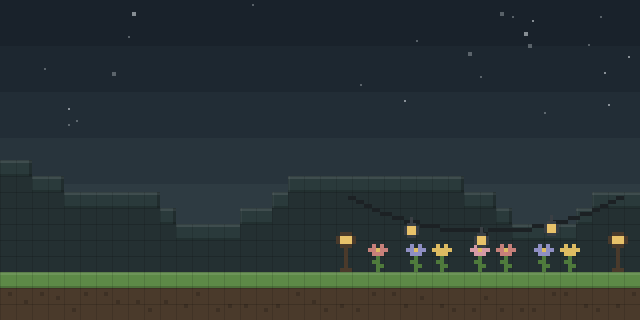

Timelock
by ModFest
With Timelock, server owners can set a fixed time of day for chosen chunks, so those areas ignore the world clock and the rest of the world keeps its own time.
What it does
Timelock locks the time in named zones of a world. Each zone covers a set of chunks and holds a tick value between 0 and 24000, which is the time those chunks show regardless of the world time. A zone can also use the world time with an offset applied, so its clock still moves but runs at a chosen shift. Zones are managed through the timelock command, which has a create, a set, a delete and an info subcommand for inspecting a zone. Editing works in steps. A zone's chunks are selected by right-clicking blocks in the world to change the selection, then changes are committed with timelockc commit or discarded with timelockc abort.
Key features
Chunk-based time zones
Named zones lock the time for the chunks they cover, while the rest of the world follows its normal clock.
Fixed tick values
A zone holds any tick value from 0 to 24000, so a chosen time of day stays in place for its area.
Offset mode
A zone can follow world time with an offset instead of a fixed value, so its clock keeps moving.
Selection and commit workflow
Chunks are picked by right-clicking blocks, and edits are applied with a commit or dropped with an abort.
Compatibility
Latest build for each game version and loader.
Only full game releases are shown. This mod publishes no snapshot builds.
Requirements
Dependencies declared by the latest file for each loader.
Required 4



How it compares
Warp Zone is a Fabric and Quilt mod that is client-side only, open source under the GNU General Public License v3.0 only, and published for 1.18 – 1.20.4. Soulmade is client and server, open source under the MIT License like Timelock, but not open source in the catalog's listing, and published for 1.21.1 – 1.21.5. NoTextureRotations is client-side only, open source under the Apache License 2.0, and published for Fabric in the 1.19 – 26.3 range.
| Mod | Loaders | Game versions | Environment | Updated |
|---|---|---|---|---|
| Timelock | Fabric and Quilt | 1.20.1 – 1.21.1 | Client and server | 2025-04-24 |
| Warp Zone | Fabric and Quilt | 1.18 – 1.20.4 | Client-side only | 2024-04-21 |
| Soulmade | Fabric and Quilt | 1.21.1 – 1.21.5 | Client and server | 2025-11-26 |
| NoTextureRotations | Fabric | 1.19 – 26.3 | Client-side only | 2026-09-28 |
Questions
Does Timelock need Fabric API?
Does the server need Timelock installed?
Which loaders and versions does Timelock support?
How does Timelock cancel changes to a zone?
In the catalog
Timelock is one of 12,078 Decoration mods on ModsFinder, and one of 6,982 Decoration mods for Fabric. 32,366 mods support Minecraft 1.21.1.
More from ModFest



Similar mods





What the author says
You can change a zone's parameters at any time by running the set subcommand again. Delete a zone using the delete subcommand and use the info subcommand to inspect a zone. To edit the chunks in a zone, run timelock start. Modify the selection by right-clicking any block in a chunk. When you are ready to commit your…
Official listing
- Modrinth page
- modrinth.com/mod/timelock
- Owner
- ModFest
- Published
- 2023-08-02
- Updated on Modrinth
- 2025-04-24
- Facts verified
- 2026-10-15