
Hotswap
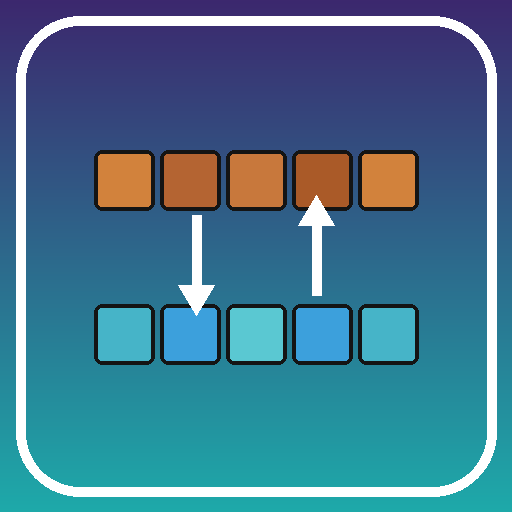
Hotswap lets players switch the hotbar to one of three stored inventory rows with a single keypress, so a pre-arranged set of tools can be recalled mid-fight or mid-mining.
What it does
Hotswap turns the three rows of the main inventory into three preset hotbars. Each row is loaded once with a kit: the first holds the pickaxe, shovel, axe, torches and cobblestone, the second a sword, bow, arrows, shield, food and totem, and the third wheat, seeds, bone meal, beds and a lantern. Tapping V cycles the hotbar through the stored rows, and tapping B twice jumps straight to the farming row. The previous hotbar slides back into its row, so nothing is lost when a kit is swapped out.
The mod is a pure client-side install: a vanilla server runs without it and only the player needs the jar. Keys are read through raw GLFW polling, so no keybinding screen is needed and the mod stays the same across the versions it covers. Presses are ignored while a text field, chat, sign or anvil is focused. Each swap shows a brief message on the action bar, so the active setup stays visible. Hotswap requires Fabric API and is published for Fabric only, for 1.21.8 – 1.21.11, under the MIT License; it is not open source.
Key features
Quick-swap hotbar
A tap on V moves the hotbar to the next stored row, with the current hotbar kept in its own row.
Three stored loadouts
Rows 1 to 3 of the main inventory act as separate hotbars that can be arranged once and reused.
Direct row jump
Tapping B twice moves the hotbar straight to the farming row instead of stepping through the others.
Action-bar confirmation
A short message on the action bar names the swap, so the active setup is clear without opening the inventory.
Input safety
Key presses do not trigger while a text field, chat, sign or anvil has focus.
Gallery
Compatibility
Latest build for each game version and loader.
Only full game releases are shown. This mod publishes no snapshot builds.
Requirements
Dependencies declared by the latest file for each loader.
Required 1

Use cases
Who it’s for: Players on Fabric who keep a fixed set of tools and supplies and want to switch between them quickly. Because the mod runs on the client, it suits single-player worlds and multiplayer servers alike, as long as the server is vanilla.
How it compares
Hotbar Swap is client-side only, for 1.21.11, under All rights reserved, and is not open source. Hotbar Quickswap is client-side only, open source under the CC0 1.0 Universal license, and covers 1.21.10 – 1.21.11. Hotbar Switch is client-side only, for 1.21.11, under the MIT License, and is not open source. Hotswap covers 1.21.8 – 1.21.11 and is published for Fabric only.
| Mod | Loaders | Game versions | Environment | Updated |
|---|---|---|---|---|
| Hotswap | Fabric | 1.21.8 – 1.21.11 | Not published | 2026-06-04 |
| Hotbar Swap | Fabric | 1.21.11 | Client-side only | 2026-04-11 |
| Hotbar Quickswap | Fabric | 1.21.10 – 1.21.11 | Client-side only | 2025-12-24 |
| Hotbar Switch | Fabric | 1.21.11 | Client-side only | 2026-06-23 |
Questions
Does Hotswap need Fabric API?
Does the server need Hotswap?
Which game versions does Hotswap support?
In the catalog
Hotswap is one of 36,990 Utility mods on ModsFinder, and one of 25,772 Utility mods for Fabric. 19,862 mods support Minecraft 1.21.11.
More from kvapilvaclav0






Similar mods





What the author says
Hotswap turns the three rows of your main inventory into three preset hotbars. Pre-arrange them once - mining tools in row 1, combat gear in row 2, food and utilities in row 3 - and switch between them with a single keypress instead of dragging items around mid-fight. A subtle action-bar message confirms each swap so…
Official listing
- Modrinth page
- modrinth.com/mod/hotswap-fabric
- Owner
- kvapilvaclav0
- Published
- 2026-06-04
- Updated on Modrinth
- 2026-06-04
- Facts verified
- 2026-10-15