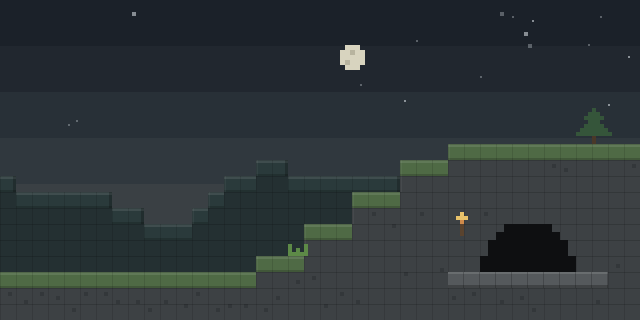

Hide Your Armor
by G10W5
Hide Your Armor lets each player hide or fade worn armor, the off-hand shield, skulls, capes, elytra and armor trims on their own character.
What it does
Visibility is set per slot. The helmet, chestplate, leggings and boots each have their own opacity slider running from 0% to 100%, and the off-hand shield has one too. Enchantment glint can be switched on or off separately for each piece and for the shield, and opacity and glint toggles also apply to meshes. Skulls on a worn head, capes, elytra and armor trims can be treated the same way. Settings are kept in presets: a current set of sliders can be saved, applied later, and deleted with a right-click.
The screen opens from a rebindable control in the Controls menu, and changes show at once on a preview doll while sliders are dragged. Closing with Esc saves the settings. The mod is client-side only and works locally by default, so a server does not need it and vanilla servers can be joined normally. An optional Multiplayer Sync setting, shown as a compass icon in the top-right corner, sends the configuration to the server, which relays it to other players running the mod. Female Gender Mod is an optional dependency: with it, the breast armor layers follow the chestplate setting. Fabric API is required on Fabric, and NeoForge has extra dependencies.
Key features
Per-piece opacity sliders
Helmet, chestplate, leggings, boots and the off-hand shield each take a 0% to 100% opacity slider.
Separate enchantment glint
Glint can be toggled for each armor piece and the shield without changing the other settings.
Worn extras
Skulls on the head, capes, elytra and armor trims can be hidden or faded along with the armor.
Presets
Current slider values can be saved as a preset, applied later and removed with a right-click.
Optional multiplayer sync
A setting can send the configuration to the server so other players see the way the character is configured.
Gallery
Compatibility
Latest build for each game version and loader.
Only full game releases are shown. This mod publishes no snapshot builds.
Requirements
Dependencies declared by the latest file for each loader.
Optional 2


How it compares
Hidden Armour is a Fabric-only, client-side mod under the MIT License, covering 1.21.5 – 26.3. ArmorVisibility covers 1.21.1 – 26.3 on Fabric, NeoForge and Quilt, but its license is All rights reserved, so it is not open source. Armor Hider runs on Fabric, NeoForge and Quilt for 1.20 – 26.3, with the client required and the server optional.
| Mod | Loaders | Game versions | Environment | Updated |
|---|---|---|---|---|
| Hide Your Armor | Fabric and NeoForge | 1.21.4 – 26.3 | Client-side only | 2026-09-23 |
| Hidden Armour | Fabric | 1.21.5 – 26.3 | Client-side only | 2026-09-15 |
| ArmorVisibility | Fabric, NeoForge and Quilt | 1.21.1 – 26.3 | Client-side only | 2026-10-06 |
| Armor Hider | Fabric, NeoForge and Quilt | 1.20 – 26.3 | Client required, server optional | 2026-09-21 |
Questions
Does Hide Your Armor need Fabric API?
Do servers need to install Hide Your Armor?
Which loaders have files for 26.3?
In the catalog
Hide Your Armor is one of 17,631 Equipment mods on ModsFinder, and one of 8,894 Equipment mods for Fabric. 8,071 mods support Minecraft 26.3.
More from G10W5


Similar mods





What the author says
Client-side mod for hiding or setting transparency of your armor. Works locally by default, and optionally syncs to other players if the server has it too. Opacity, not just on/off Every piece has a slider from 0% to 100%. Drag it and see the change instantly on the preview doll. No need to re-equip anything.
Official listing
- Modrinth page
- modrinth.com/mod/hide-your-armour
- Owner
- G10W5
- Published
- 2025-01-01
- Updated on Modrinth
- 2026-09-23
- Facts verified
- 2026-10-15