
Camera Mod
by henkelmax
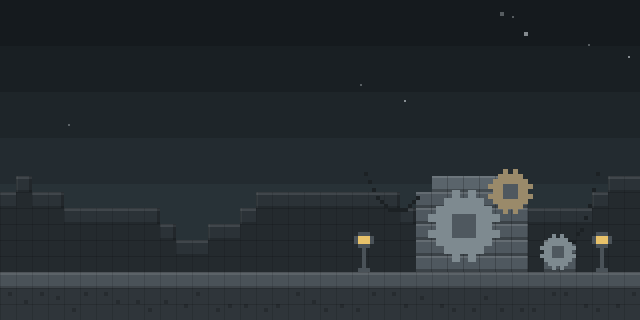
Camera Mod adds a Camera and a picture frame, so players can take images of the game and hang them in the world.
What it does
A right-click on the Camera opens a viewfinder, and a second right-click takes an image of the view on screen. Images keep the aspect ratio of the Minecraft window. Sneak with a right-click opens a screen where a filter can be picked, and scrolling zooms in and out before a shot is taken. A finished image is an item that can be viewed by right-clicking it or by placing it in an image frame.
Albums hold up to 54 images. Sneaking with a right-click on an album adds images to it, and right-clicking the album opens the stored pictures, which can be paged with the scroll wheel or the up and down arrow keys. Images can be copied by crafting them together with a piece of paper at a crafting table. The mod requires Forge or NeoForge, and it is published for 1.19 – 26.3, with the latest Forge file for 1.20.1 and the latest NeoForge file for 26.3. Installation has to be done on the client and the server, and the license is All rights reserved, so the code is not open source.
Key features
Viewfinder capture
Right-clicking a Camera opens a viewfinder, and a second click takes the picture.
Filters and zoom
A filter screen opens on sneak with a right-click, and scrolling adjusts the zoom before a shot.
Image frames
Finished images can be placed in a frame to display them in the world.
Albums
An album holds up to 54 images and can be paged through with the scroll wheel or arrow keys.
Custom image upload
Custom images can be uploaded, and each image item records its date and the name of the photographer.
Compatibility
Latest build for each game version and loader.
26.x5 of 5 versions with builds
1.21.x12 of 12 versions with builds
1.20.x7 of 7 versions with builds
1.19.x5 of 5 versions with builds
Only full game releases are shown. This mod publishes no snapshot builds.
Requirements
Dependencies declared by the latest file for each loader.
Optional 2


Use cases
Photo keeping on a server
Players can keep a record of builds and events as images, stored in albums that travel with their inventory.
Who it’s for: Players who want to document builds, travels or events in game, and server owners who run a shared photo space, since both sides need the mod.
How it compares
Camera Overhaul Reforged is client-side only, licensed under the GNU General Public License v3.0 only, and open source, with files for 1.19.3 – 1.21.4 on Forge and NeoForge. Picture Axe is open source under the MIT License, works on Fabric, Forge and NeoForge across 1.20.1 – 1.21.8, and runs on the client and server. Smooth Camera Movement is client-side only, not open source, and licensed under the Apache License 2.0; it changes camera motion rather than taking pictures.
| Mod | Loaders | Game versions | Environment | Updated |
|---|---|---|---|---|
| Camera Mod | Forge and NeoForge | 1.19 – 26.3 | Client and server | 2026-10-01 |
| Camera Overhaul Reforged | Forge and NeoForge | 1.19.3 – 1.21.4 | Client-side only | 2025-01-11 |
| Picture Axe | Fabric, Forge and NeoForge | 1.20.1 – 1.21.8 | Client and server | 2025-08-27 |
| Smooth Camera Movement | Fabric, Forge and NeoForge | 1.20.1 – 1.21.5 | Client-side only | 2026-07-15 |
Questions
Does Camera Mod need Jade or JEI?
Does the server need Camera Mod installed?
Which loaders are supported?
In the catalog
Camera Mod is one of 8,499 Technology mods on ModsFinder, and one of 4,122 Technology mods for Forge. 8,071 mods support Minecraft 26.3.
More from henkelmax





Similar mods


What the author says
This mod adds a Camera and a frame for the images. The Camera takes real images of your game. Images can be taken by right-clicking a camera. This brings you to the viewfinder of the camera. Right-clicking again takes an image of the perspective you are currently seeing. Images are saved with the same ratio as your…
Official listing
- Modrinth page
- modrinth.com/mod/camera-mod
- Owner
- henkelmax
- Published
- 2022-06-23
- Updated on Modrinth
- 2026-10-01
- Facts verified
- 2026-10-15