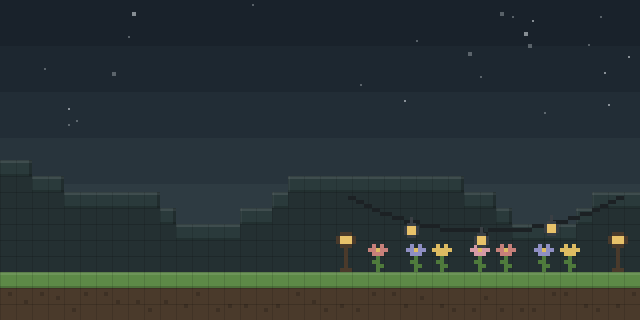

Zelda Door Mechanics
by ThirtyFangs
Zelda Door Mechanics gives large doors in a datapack a smooth open and close animation, triggered as a player walks up to them, with lock and rotate functions added on top.
What it does
Doors that are too big for vanilla models swing open when a player gets close, animating like the doors in the Zelda games. Doors are placed facing north or south by default and can be rotated 90 degrees with a function. Collision switches off while a door is open and back on once it closes, so players can walk through and the door still blocks movement when shut.
The datapack can also lock a door. A locked door needs a key before it opens, and the lock state is set with a function run while standing at the door. Placing a door requires operator permission and a short set of steps: check the target position in X, Y and Z, switch to spectator mode, teleport to the exact coordinates with .5 offsets, then run the placement function. A resource pack is needed for the locked door model.
Files are published for Fabric, Forge, NeoForge and Quilt, and as a data pack for server platforms. The mod runs on the server, and players need it only when a resource pack is in use. The current build targets 26.3 and the full set of game versions covers 1.21.9 – 26.3, with snapshot builds also published. The mod is released under All rights reserved and is not open source. Known issues with the data pack are documented in the in-game help command.
Key features
Animated large doors
Oversized doors open and close with a smooth ground animation when a player approaches.
Door collision
Collision is removed while a door is open and restored when it closes.
Locked doors
Doors can be locked and opened only after a player holds the matching key.
Rotation and placement
Doors face north or south by default and can be rotated 90 degrees by a function.
In-game help
A help function lists the additional commands that control placement, rotation and locking.
Gallery
Compatibility
Latest build for each game version and loader.
This mod also publishes snapshot builds. Snapshots are not shown in the matrix.
How it compares
Copper Door Cutting is a server-side mod for 1.21 – 26.3 with a custom license, not open source; it needs no client install. Spooky Doors is a client and server mod for 1.20 – 26.3, licensed under All rights reserved and not open source. Openable is server-side for 1.21.5 – 26.2 and also uses All rights reserved. Zelda Door Mechanics is a server and optional client mod for 1.21.9 – 26.3 that focuses on Zelda-style animation and locking.
| Mod | Loaders | Game versions | Environment | Updated |
|---|---|---|---|---|
| Zelda Door Mechanics | Fabric, Forge, NeoForge and Quilt | 1.21.9 – 26.3 | Server required, client optional | 2026-10-15 |
| Copper Door Cutting | Fabric, Forge, NeoForge and Quilt | 1.21 – 26.3 | Server required, client optional | 2026-09-16 |
| Spooky Doors | Fabric, Forge and NeoForge | 1.20 – 26.3 | Client and server | 2026-09-25 |
| Openable | Fabric, Forge, NeoForge and Quilt | 1.21.5 – 26.2 | Server required, client optional | 2026-06-26 |
Questions
Does Zelda Door Mechanics have to be installed on the client?
Which loaders can run Zelda Door Mechanics?
Why do locked doors need a resource pack?
In the catalog
Zelda Door Mechanics is one of 12,078 Decoration mods on ModsFinder, and one of 6,982 Decoration mods for Fabric. 8,071 mods support Minecraft 26.3.
More from ThirtyFangs


Similar mods





What the author says
If you don't want to read all this, just do /function door:help in-game and read the step-by-step documentation in-game! To place a door (you need OP), follow those 2 easy steps carefully: - Go where you wanna place the door, and check for your position (X,Y,Z). Then, go in spectator mode and do /teleport [your…
Official listing
- Modrinth page
- modrinth.com/mod/zelda-door-mechanics
- Owner
- ThirtyFangs
- Published
- 2026-01-15
- Updated on Modrinth
- 2026-10-15
- Facts verified
- 2026-10-15