
Rescale (Aspect Ratio)
by TCD1234
Rescale forces a chosen aspect ratio such as 4:3 or 5:4 on any monitor, so player models appear wider on screen, and it includes a built-in View Model editor.
What it does
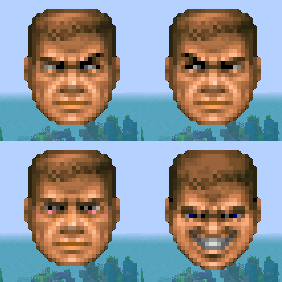
The mod lets a player set a specific aspect ratio, including 4:3, 5:4 or a custom value, regardless of the native resolution of the monitor. A True Stretch option gives the stretched look of those ratios while the game keeps running at the monitor's own resolution. Player models render wider as a result, and the change applies only to the player's own display.
Rescale also includes a live editor for the first-person hands and held items. Pressing Insert in game opens it, arrow keys with Ctrl move and resize the view model, and holding Shift makes each adjustment faster. Settings are reached from the Mods menu under Rescale, and the config screen requires Cloth Config API, while Mod Menu is optional for opening it from the mod list.
The mod runs on Fabric, Forge, NeoForge and Quilt. Its files cover 1.20.1 – 26.3 across 18 release versions, and the latest builds are 1.1.0 for 26.3 on Fabric, 1.0.1 for 1.20.1 on Forge, 1.1.0 for 26.1.2 on NeoForge in the beta channel, and 1.0.2 for 1.21.4 on Quilt. It is released under the GNU General Public License v3.0 only and is open source, with public source code and an issue tracker.
Key features
True Stretch mode
Shows the stretched 4:3 or 5:4 look while the game keeps the monitor's native resolution.
Custom aspect ratios
Any ratio can be entered by the player in addition to the preset 4:3 and 5:4 options.
Wider player models
Models are drawn wider on screen, which changes how the player's own character looks in the view.
In-game view model editor
Opened with the Insert key, it moves, rotates and resizes the first-person hands and held items.
Adjustment shortcuts
Arrow keys with Ctrl move and resize the hands, and Shift speeds up each change.
Gallery
Compatibility
Latest build for each game version and loader.
26.x5 of 5 versions with builds
1.21.x12 of 12 versions with builds
1.20.x1 of 1 version with builds
Only full game releases are shown. This mod publishes no snapshot builds.
Requirements
Dependencies declared by the latest file for each loader.
Required 1

Optional 1

Use cases
Stretched look on widescreen monitors
A player who prefers the classic 4:3 or 5:4 picture can keep a widescreen monitor at its native resolution.
Adjusting the first-person hands
Players who want their hands or held items placed differently can change their position and size in the live editor.
Who it’s for: Players who want a stretched or custom aspect ratio on their own display, and players who want to reposition the first-person hands and held items. It is a client-side mod, so only the player's own game needs it.
How it compares
Visual Ratio is client-side only, open source under the MIT License, and built for Fabric only with files for 1.21.8 – 26.2. View Model is also client-side only and open source under the MIT License, for Fabric with files for 1.20 – 26.2. Ence size is client-side only under the MIT License, not open source, and has a Fabric file for 1.21.11 only, so it covers a single version where Rescale covers 1.20.1 – 26.3 on four loaders.
| Mod | Loaders | Game versions | Environment | Updated |
|---|---|---|---|---|
| Rescale (Aspect Ratio) | Fabric, Forge, NeoForge and Quilt | 1.20.1 – 26.3 | Client-side only | 2026-09-24 |
| Visual Ratio | Fabric | 1.21.8 – 26.2 | Client-side only | 2026-07-30 |
| View Model | Fabric | 1.20 – 26.2 | Client-side only | 2026-09-03 |
| Ence size | Fabric | 1.21.11 | Client-side only | 2026-06-27 |
Questions
Does Rescale need Cloth Config API?
Does the server need Rescale?
Which loader should be chosen for Rescale?
Is Rescale open source?
In the catalog
Rescale (Aspect Ratio) is one of 2,135 Minigame mods on ModsFinder, and one of 1,454 Minigame mods for Fabric. 8,071 mods support Minecraft 26.3.
More from TCD1234


Similar mods





What the author says
Rescale allows you to force a specific Aspect Ratio (like 4:3) regardless of your actual monitor resolution. Sleek liquid glass and animated shader materials for your hands and held items.
Official listing
- Modrinth page
- modrinth.com/mod/rescale
- Owner
- TCD1234
- Published
- 2025-12-08
- Updated on Modrinth
- 2026-09-24
- Facts verified
- 2026-10-15