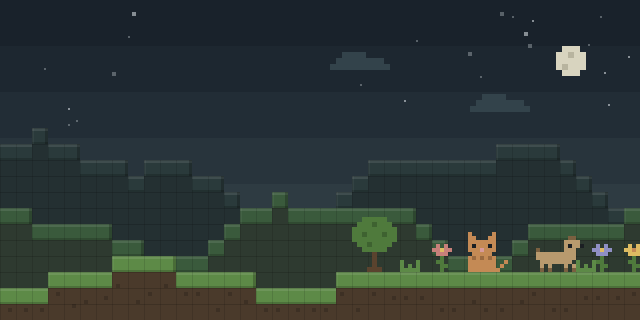

Renderra
by CJDev
Renderra lets players play video inside Minecraft by attaching a video player to an Item Display placed in the world, with audio extracted to a separate track.
What it does
A player creates an Item Display, selects it, and switches into a mode that turns displays into video screens. Once a display is selected, a video, image or GIF file from the video player folder of the instance can be chosen, and the screen resolution set. Audio for the selected video is generated and saved into the videoaudio folder, and the editing mode can be turned off afterward to prevent accidental changes.
The mod is aimed at streaming and video-showing setups on Minecraft Java Edition, where a video screen is part of a build or a shared space. Vanilla clients can view the screens without installing the mod, which only needs to be added on the side that creates them. Renderra runs on Fabric for game versions 1.21.5 – 26.2 and is released under the GNU Lesser General Public License v3.0 only, so it is open source and its source code is public.
Key features
Video on Item Displays
A video player attaches to an Item Display and plays a chosen video directly in the world.
Screen resolution setting
The resolution of each video screen can be set for the display it is attached to.
Extracted audio track
Audio for a selected video is generated and saved to a separate videoaudio folder.
ADD SCREEN editing mode
A dedicated mode adds and edits item displays as screens, and can be switched off to stop accidental changes.
Gallery
Compatibility
Latest build for each game version and loader.
26.x4 of 4 versions with builds
1.21.x7 of 7 versions with builds
Only full game releases are shown. This mod publishes no snapshot builds.
Use cases
Video walls in builds
Creators place several item display screens in a build and assign each one its own video, image or GIF.
Shared viewing spaces
Servers and groups can keep video screens in a common area, since vanilla clients can watch them without the mod.
Who it’s for: Builders and server owners who want video screens in their world, and players who run a streaming or viewing setup in Minecraft.
How it compares
DisplaySomethingCool is a Fabric mod for 26.2 only, released under the Apache License 2.0 and not open source, and it runs on client and server. Mcedia Core is a client-side only Fabric mod for 1.21.1 – 26.2 under the MIT License and open source, so it needs no install on the server. Vanilla Display is a server-side only Fabric mod for 1.21 – 1.21.11 under the MIT License, also not open source.
| Mod | Loaders | Game versions | Environment | Updated |
|---|---|---|---|---|
| Renderra | Fabric | 1.21.5 – 26.2 | Client or server, optional | 2026-08-03 |
| DisplaySomethingCool | Fabric | 26.2 | Client and server | 2026-07-28 |
| Mcedia Core | Fabric | 1.21.1 – 26.2 | Client-side only | 2026-08-21 |
| Vanilla Display | Fabric | 1.21 – 1.21.11 | Server-side only | 2026-01-05 |
Questions
Does Renderra need to be installed on the server?
Which loader and versions does Renderra support?
Can a video screen be edited after it is set up?
In the catalog
Renderra is one of 5,392 Social mods on ModsFinder, and one of 4,084 Social mods for Fabric. 13,894 mods support Minecraft 26.2.
More from CJDev




Similar mods







What the author says
📝 Tip: Use ADD_SCREEN mode to add or edit Item Displays. Turn it off afterward to prevent accidental changes.
Official listing
- Modrinth page
- modrinth.com/mod/renderra
- Owner
- CJDev
- Published
- 2025-10-09
- Updated on Modrinth
- 2026-08-03
- Facts verified
- 2026-10-15