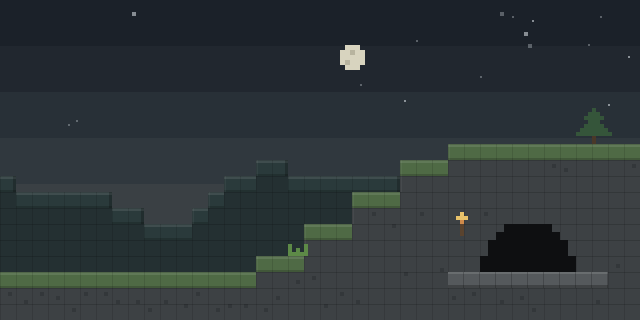

Fullbright+Lowfire+Lowshield
by x1eqn
Fullbright+Lowfire+Lowshield bundles three client-side visibility and PvP tweaks into one small Fabric mod that changes only how the game looks on the player's screen.
What it does
Fullbright lights up the whole world, caves included, so dark areas stay readable. An adjustable brightness setting restores normal gamma when it is turned off. Shader and resource pack users can also find it useful as a plain brightness aid, since the effect is applied on the client alone.
Low Fire pushes the fire flame overlay down so it no longer covers the screen, with an adjustable height. Low Shield lowers the first-person view of a raised shield so it no longer eats half the view, with an adjustable offset. Every tweak can be switched off on its own, letting each player keep only the changes they want.
Fabric Loader and Fabric API are required. Mod Menu is optional and adds a configuration button. The mod is client-side only, so servers can run without it and players can join a server that does not have it installed. It is released under the MIT License and is not open source.
Key features
Fullbright lighting
Brightens the whole world, including caves, with an adjustable brightness level that can be restored to normal gamma.
Low Fire overlay
Moves the fire flame overlay lower on the screen so it stops covering the view, with adjustable height.
Low Shield view
Lowers the first-person shield while blocking so it no longer takes up half the screen, with adjustable offset.
Quick toggles
Each tweak can be switched on or off separately, and sliders take effect as they are dragged.
Settings in Options
Settings open through Mod Menu or from the Options Controls screen, where a key can be bound to open them, and every change is saved automatically.
Gallery
Compatibility
Latest build for each game version and loader.
26.x4 of 4 versions with builds
1.21.x5 of 5 versions with builds
Only full game releases are shown. This mod publishes no snapshot builds.
How it compares
Shield Mod is a Fabric mod for 1.21 that needs both the client and server, and its license is All rights reserved, so it is not open source. Custom Shield Break Sound is client-side only and released under the MIT License, covering 1.21.1 – 26.2, but it changes shield break sounds rather than the view. Instant Shield runs on the server alone, is open source under the MIT License and covers 1.20 – 26.2.
| Mod | Loaders | Game versions | Environment | Updated |
|---|---|---|---|---|
| Fullbright+Lowfire+Lowshield | Fabric | 1.21 – 26.2 | Client-side only | 2026-08-22 |
| Shield Mod | Fabric | 1.21 | Client and server | 2024-08-05 |
| Custom Shield Break Sound | Fabric | 1.21.1 – 26.2 | Client-side only | 2026-10-10 |
| Instant Shield | Fabric | 1.20 – 26.2 | Server-side only | 2026-08-26 |
Questions
Does Fullbright+Lowfire+Lowshield need Mod Menu?
Does the mod have to be installed on the server?
Which game versions have files?
Can Low Fire and Low Shield be turned off separately?
In the catalog
Fullbright+Lowfire+Lowshield is one of 17,631 Equipment mods on ModsFinder, and one of 8,894 Equipment mods for Fabric. 13,894 mods support Minecraft 26.2.
More from x1eqn


Similar mods





What the author says
FLL bundles three of the most-wanted client tweaks into one tiny, client-side mod. Toggle each one on or off, tune it to taste, and get a cleaner, clearer view — especially in PvP. Open the settings through Mod Menu, or bind keys in Options → Controls → FLL (open settings / quick-toggle Fullbright). Flip the toggles…
Official listing
- Owner
- x1eqn
- Published
- 2026-06-10
- Updated on Modrinth
- 2026-08-22
- Facts verified
- 2026-10-15