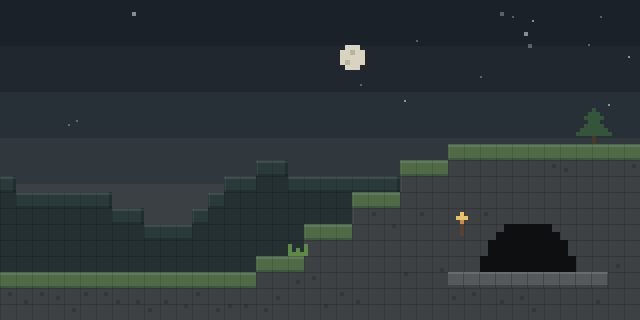

FakeForge
by LitQA
FakeForge lets a player reforge a sword's looks to match another material, such as a wooden sword dressed as netherite, without changing its stats.
What it does
The mod works through a Reforge Smithing Table. A player crafts a Qarium Core from Qarium ore, which spawns between Y levels -48 and -32, and the core is then combined with a material such as planks, stone, iron, netherite or emerald to make a material-specific template. Applying that template to a sword in the table changes only how the sword looks. Its attributes stay the same, so a reforged wooden sword still hits like wood.
FakeForge is aimed at prank setups and cosmetic play, where a player wants a sword to look like a rarer material than it is. A sword can be renamed with an anvil before it is given away. The mod is published for Fabric and Forge, and it needs both the server and every player to run it.
Files cover 1.20.1, 1.21.5, 1.21.6, 1.21.7 and 1.21.8. The latest Fabric file is 0.2.1218 for 1.21.8, and the latest Forge file is 0.2.1201 for 1.20.1. Both are alpha builds. The code is licensed under Creative Commons Attribution Non Commercial 4.0, so the mod is not open source.
Key features
Sword reskins
A sword can take the appearance of another material while keeping its own attributes unchanged.
Qarium Core crafting
Qarium ore is mined underground, and popping it in a stonecutter yields a Qarium Core used for templates.
Material templates
Combining a Qarium Core with a material produces a template, including materials added by other mods such as emerald or amethyst.
Reforge Smithing Table
The reforge table takes a base template and a sword, applying the chosen look in a single step.
Anvil renaming
A reforged sword can be renamed on an anvil, which helps when it is given to another player as a joke.
Gallery
Compatibility
Latest build for each game version and loader.
Only full game releases are shown. This mod publishes no snapshot builds.
How it compares
Disable Netherite Upgrading is a server-required mod with client-optional use, under the MIT License, published for Fabric, Forge, NeoForge and Quilt across 1.20 – 26.2, and it is not open source. No Netherite Upgrades is server-side only and open source under the MIT License, with files for Fabric and Forge across 1.20 – 1.21.1. FakeForge needs both the server and every player, and it is not open source. Its files cover different versions from both mods, and FakeForge changes how swords look rather than the upgrade path.
| Mod | Loaders | Game versions | Environment | Updated |
|---|---|---|---|---|
| FakeForge | Fabric and Forge | 1.20.1 – 1.21.8 | Client and server | 2025-09-18 |
| Disable Netherite Upgrading | Fabric, Forge, NeoForge and Quilt | 1.20 – 26.2 | Server required, client optional | 2026-08-16 |
| No Netherite Upgrades | Fabric and Forge | 1.20 – 1.21.1 | Server-side only | 2024-08-11 |
Questions
Does FakeForge need to be installed on the server?
Do reforged swords keep their attack stats?
Which loaders does FakeForge support?
In the catalog
FakeForge is one of 17,631 Equipment mods on ModsFinder, and one of 8,894 Equipment mods for Fabric. 17,695 mods support Minecraft 1.21.8.
More from LitQA



Similar mods




What the author says
Want to prank friends with a "netherite sword" that's secretly wooden? This mod lets you completely retexture any sword to match other materials—without changing its stats. 1.Craft Qarium Core – Dig deep! Qarium ore spawns between -32 and -48. Pop the ore into a Stonecutter to get Qarium Core.
Official listing
- Modrinth page
- modrinth.com/mod/fakeforge
- Owner
- LitQA
- Published
- 2025-09-18
- Updated on Modrinth
- 2025-09-18
- Facts verified
- 2026-10-15