Effect Tooltips
by Darkhax
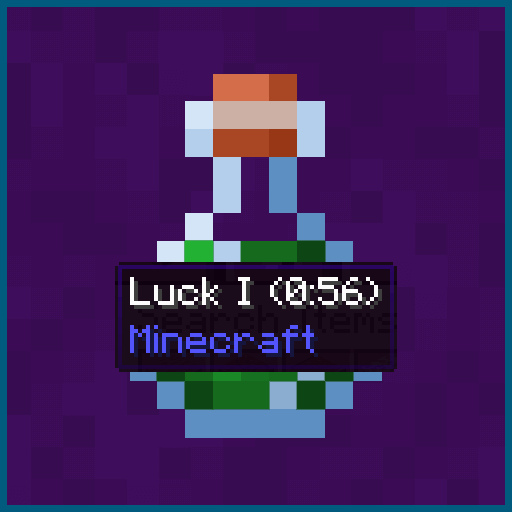
Effect Tooltips shows hover tooltips for status effects in the player inventory screen, with the name, level, remaining duration and registry ID of each effect.
What it does
Hovering over a status effect in the inventory screen opens a tooltip with the effect name, its level or amplifier, how much time remains, which mod added it and its registry ID. The registry ID is shown only when the F3 plus H debug mode is enabled, so most players see the other lines alone. Status effects shown in the inventory include those from vanilla and from other mods.
Other mods can add their own entries to these tooltips through an event based API, or change existing entries. That makes the tooltip a shared surface for mods that want extra information about effects. The mod is published for Fabric, Forge and NeoForge. It needs Fabric API on Fabric, is client required and server optional, and is released under the GNU Lesser General Public License v2.1 only, which makes it open source. Files cover 19 release versions, 1.16.5 – 26.3, and the latest file for 26.3 is dated 2026-09-27.
Key features
Effect tooltips in the inventory
Status effects in the player inventory show a hover tooltip with details about each effect.
Level and remaining duration
Each tooltip lists the amplifier of the effect and the time it has left to run.
Source mod name
The tooltip names the mod that added the effect, which helps when several mods add effects to the game.
Event based tooltip API
Other mods can add new tooltip entries or change existing ones through events, without a separate tooltip system.
Gallery
Compatibility
Latest build for each game version and loader.
26.x5 of 5 versions with builds
1.20.x5 of 5 versions with builds
1.19.x5 of 5 versions with builds
1.18.x3 of 3 versions with builds
1.16.x1 of 1 version with builds
Only full game releases are shown. This mod publishes no snapshot builds.
Requirements
Dependencies declared by the latest file for each loader.
Required 1

Use cases
Who it’s for: Players who use many effect-adding mods and want the details of each effect in one place, and developers who want to add their own information to effect tooltips through the event based API.
Questions
Does Effect Tooltips need Fabric API?
Does the server need Effect Tooltips installed?
Why does the registry ID not show in the tooltip?
In the catalog
Effect Tooltips is one of 3,514 Library mods on ModsFinder, and one of 2,348 Library mods for Fabric. 8,071 mods support Minecraft 26.3.
More from Darkhax






Similar mods


What the author says
This mod adds a tooltip to status effects displayed in the player inventory. The tooltip contains useful information about the effect such as the name of the mod that added it to the game. The mod also provides an event based API that allows other mods to add new tooltip entries or modify the tooltip in other ways.
Official listing
- Modrinth page
- modrinth.com/mod/effect-tooltips
- Owner
- Darkhax
- Published
- 2023-06-22
- Updated on Modrinth
- 2026-09-27
- Facts verified
- 2026-10-15