
Mods for 26.3
5,060 mods match your filters.

Place banners horizontally as flags on fences, walls and other pole-like blocks!

Fully functional, clientside, in-game notepad.

The e4mc fork that lets anyone join your LAN world from anywhere, even with offline accounts. Supports Simple Voice Chat, Android, and more!
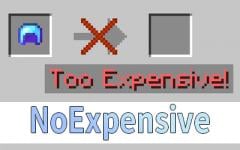
The anvil has no expensive restrictions and compatible to any enchantment.
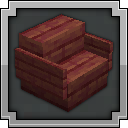
Sit anywhere you want! Look down, double tap sneak and right click and you sit. As easy as that. Or you can just sit on stair/slab or via "/trigger sit". Work on vanilla servers, or any other setup.

Neat, tiny attribute displays for all mobs with great customization!

This client-side mod displays the statistics (health, speed, jump height) of horses in their inventory.

Orbital Strike Cannon Datapack inspired by Wemmbu from Unstable SMP.

A mod tweaking various smaller settings similar to what can be found in "PvP-clients"

Allows the placement of lanterns on walls.

A mod that adds a toggle in the "Open To Lan" / "Multiplayer" menu to disable online-mode on the integrated server

Allows you to open and manipulate the inventories and ender chests of online and offline players. Server Side

Removes lag when playing noteblocks

Show the durability of items in inventories and in the hotbar directly on the items with a number.

Click through decorations and interact with the blocks behind them.

Animation studio and content creation tool

Adds a confirmation dialogue before exiting your world/server

Overlays useful info like coordinates and the time onto your HUD - as long as you have the right item in your inventory (or bundle!)

Improvements for your signs and frames on your Fabric server. Passthrough signs, retain sign text, copy signs & more!

A small QOL mod that lets you alter the vanilla crosshair in small ways.

🔦 Give all players permanent night vision as an alternative to fullbright texture packs

A lightweight client-side mod for effortless inventory management in Minecraft.

Shared framework for the EMF Compat family.

Displays the world's play time and world size in the world selection menu.