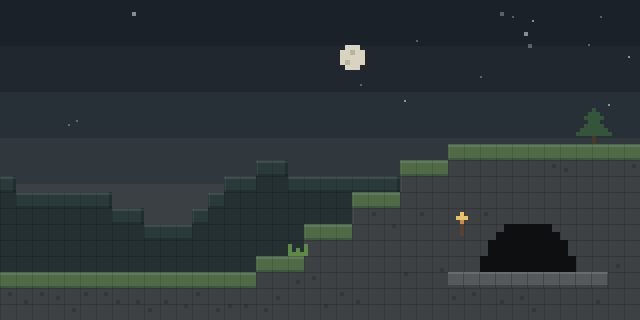

Teams spawn points
by Sivel0302
Teams spawn points lets a server owner assign each team its own spawn, using placeable blocks that teleport players to the spawn of their chosen team.
What it does
Players place special blocks in the world and select a team with a right mouse click, after which the block teleports them to that team's spawn point. A red team block and a blue team block choose the team, and spawn points are saved from the moment a block is placed until it is removed. When a player dies, the mod sends them back to their team's spawn at the end of the game.
A start game block, when given a redstone signal, starts the match and hands out a set number of items, while an end game block sends a signal when the game finishes and clears the items. The mod provides six types of blocks in the creative inventory, and the game flow is built with those blocks, so a group of friends can run a simple CS:GO style round without building the logic themselves. Community-minded servers can use it as a base to create their own build.
The mod is licensed under the GNU General Public License v3.0 only and is open source, with public links to its source code and issue tracker. It is published for Forge only, for Minecraft 1.20.1, and the latest file is 1.0.31 for 1.20.1, released on 2024-06-27 on the beta channel. Every player and the server need a copy of the mod. Using the mod requires no other mod.
Key features
Team spawn blocks
Red and blue team blocks let players pick a team and teleport to that team's spawn point with a right click.
Start and end game blocks
A start game block gives out configured items on a redstone signal, and an end game block returns players and clears the items.
Redstone control
Team blocks and the start and end game blocks send a redstone signal, so the match can be triggered by circuits.
Saved spawn points
Spawn points persist from placement until the block is deleted or destroyed, and the server can clear teams with a command.
Compatibility
Latest build for each game version and loader.
Only full game releases are shown. This mod publishes no snapshot builds.
How it compares
Spawn Man is a Forge mod for 1.20.1 – 1.20.6 that runs on client and server and is released under All rights reserved, so it is not open source. In the point is a Forge mod for 1.20.1 that also runs on client and server, under All rights reserved. Fluu's Teams is a Forge mod for 1.20.1 that is server-side only, so players join without installing it, and it is not open source.
| Mod | Loaders | Game versions | Environment | Updated |
|---|---|---|---|---|
| Teams spawn points | Forge | 1.20.1 | Client and server | 2024-06-27 |
| Spawn Man | Forge | 1.20.1 – 1.20.6 | Client and server | 2026-07-08 |
| In the point | Forge | 1.20.1 | Client and server | 2025-11-29 |
| Fluu's Teams | Forge | 1.20.1 | Server-side only | 2026-04-17 |
Questions
Does Teams spawn points need to be installed on both sides?
Which Minecraft version does Teams spawn points support?
How are matches started and ended?
In the catalog
Teams spawn points is one of 2,135 Minigame mods on ModsFinder, and one of 886 Minigame mods for Forge. 34,764 mods support Minecraft 1.20.1.
Similar mods



What the author says
Did you want to make a CS GO type build or something like that? But I want to!) And I was missing several mods to implement the build, so I created my own!!! In order for everything to work, you need to place spawn blocks (4, 5, 6) in the world, and also select a team (2, 3) use right mouse button. Then click right…
Official listing
- Modrinth page
- modrinth.com/mod/teams-spawn-points
- Owner
- Sivel0302
- Published
- 2024-06-17
- Updated on Modrinth
- 2024-06-27
- Facts verified
- 2026-10-15