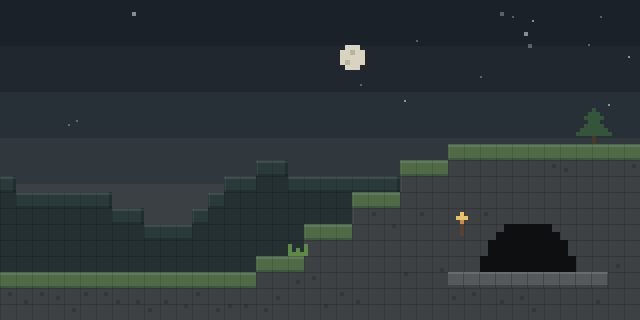

Spawn Man
by cokie1479
Spawn Man lets a server owner define named spawn sets, each made of spawn points and area boxes, and assign players to teams that respawn inside them.
What it does
Spawn sets are stored per world in a spawnsets.json file, and a teams.json file maps players to teams. When a player joins or respawns, the mod places them at a random point of their team's spawn set. Spawn points are adjusted to a solid block with two blocks of headroom, so players do not suffocate on arrival. Teams can be assigned automatically, which makes the mod usable for minigames that split players into groups.
Setup can be done with a position wand or with commands. Right-clicking a block sets the first corner of an area, left-clicking a block sets the second corner, and left-clicking an entity records its position. The wand shares its markers with the smpos1 and smpos2 commands, and command block support covers scripted setups. The sm commands require operator permission level 2, so only trusted staff can change spawns.
Key features
Named spawn sets
Each world can hold several named spawn sets made of point lists and area boxes, each with its own spawn locations.
Team spawn points
Spawn points can be limited to a team, so players of a Java team respawn only at their own team's locations.
Position wand
A wand sets area corners from clicked blocks and entity positions, so areas can be drawn in the world instead of typed.
Command support
Spawn sets and areas can be managed with sm commands, and command block support allows scripted setup.
Compatibility
Latest build for each game version and loader.
Only full game releases are shown. This mod publishes no snapshot builds.
Use cases
Minigame lobbies
A minigame can split players into teams and send each team to its own start area when the round begins.
Survival servers with team bases
Teams that claim a base can respawn inside it, while the server keeps the spawn points set by staff.
Who it’s for: Server owners and map makers who run minigames or team-based games on Forge 1.20.6 and need controlled spawn locations for each team.
How it compares
Teams spawn points is open source under the GNU General Public License v3.0 only and is built for 1.20.1, so it covers a different version than Spawn Man. In the point is not open source, is released under All rights reserved and also targets 1.20.1. PointControl is open source under the MIT License and covers 1.20.1 – 1.20.6, the same range as Spawn Man, but it does not manage teams in the same way.
| Mod | Loaders | Game versions | Environment | Updated |
|---|---|---|---|---|
| Spawn Man | Forge | 1.20.1 – 1.20.6 | Client and server | 2026-07-08 |
| Teams spawn points | Forge | 1.20.1 | Client and server | 2024-06-27 |
| In the point | Forge | 1.20.1 | Client and server | 2025-11-29 |
| PointControl | Forge | 1.20.1 – 1.20.6 | Client and server | 2026-03-07 |
Questions
Does Spawn Man need to be installed on both sides?
Who can change the spawn sets?
Which Minecraft versions does Spawn Man support?
In the catalog
Spawn Man is one of 2,135 Minigame mods on ModsFinder, and one of 886 Minigame mods for Forge. 11,154 mods support Minecraft 1.20.6.
More from cokie1479


Similar mods



What the author says
A lightweight Minecraft Forge 1.20.1 mod for managing custom spawn points and areas with team support. SpawnMan lets you define named spawn sets as point lists or area boxes per world, assign them to teams, and automatically teleport players to safe spawn locations on join or respawn. Includes a position wand for…
Official listing
- Modrinth page
- modrinth.com/mod/spawnman
- Owner
- cokie1479
- Published
- 2026-07-08
- Updated on Modrinth
- 2026-07-08
- Facts verified
- 2026-10-15