
[KSE] Keyboard Sound Effects
by Mr_Lan123
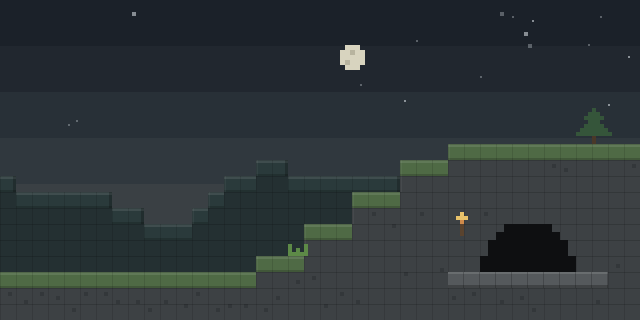
Players who want key presses and mouse clicks to make sound can use [KSE] Keyboard Sound Effects, a client-side Fabric mod with built-in and custom click sounds.
What it does
Keyboard Sound Effects plays a sound each time a key or mouse button is pressed. The mod ships several built-in sound packs, including Classic, Soft Click, Mechanical Keyboard, Soft Pop and two ASMR-style options, Tap and Gentle Tap, with a Deep variant. Separate toggles let a player turn keyboard sounds on, mouse sounds off, or enable both.
Players can also bring their own recordings. Audio files in several common formats are chosen through the native file picker and given a name inside the game, using the settings menu. The config screen opens with the B key by default, which can be rebound in the Options menu, and the interface is localized in English and Russian. Only the client needs the mod; servers do not need to install it, so it does not affect multiplayer. It requires Fabric API alongside Fabric Loader and is released under the MIT License, though the code is not open source. Files are published for 1.21.1 – 26.3 across 16 release versions, and the latest Fabric file is 1.0.0 for 26.3.
Key features
Built-in sound packs
Several ready-made packs cover typical keyboard and mouse sounds, so no files are needed to start.
Custom sound import
Own sound files can be added in game and named from the settings screen.
Separate keyboard and mouse toggles
Keyboard and mouse sounds can be switched independently, so either one or both can play.
Quick settings access
A rebindable key opens the configuration screen directly, without going through the Options menu.
Gallery
Compatibility
Latest build for each game version and loader.
26.x5 of 5 versions with builds
1.21.x11 of 11 versions with builds
Only full game releases are shown. This mod publishes no snapshot builds.
Requirements
Dependencies declared by the latest file for each loader.
Required 1

How it compares
Fast Click is an open source, client-side Fabric mod under the MIT License, published for 1.21.11 – 26.2. Zeo's Click Bot is also client-side and open source under CC0 1.0 Universal, for 1.21.8 – 26.2, and is an automation tool rather than a sound mod. ItemKeybind is client-side, not open source, released under All rights reserved and built for 1.21.11 only.
| Mod | Loaders | Game versions | Environment | Updated |
|---|---|---|---|---|
| [KSE] Keyboard Sound Effects | Fabric | 1.21.1 – 26.3 | Client-side only | 2026-10-06 |
| Fast Click | Fabric | 1.21.11 – 26.2 | Client-side only | 2026-07-24 |
| Zeo's Click Bot | Fabric | 1.21.8 – 26.2 | Client-side only | 2026-07-02 |
| ItemKeybind | Fabric | 1.21.11 | Client-side only | 2026-05-13 |
Questions
Does Keyboard Sound Effects need Fabric API?
Does a server need Keyboard Sound Effects installed?
Which game version should be chosen?
In the catalog
[KSE] Keyboard Sound Effects is one of 17,631 Equipment mods on ModsFinder, and one of 8,894 Equipment mods for Fabric. 8,071 mods support Minecraft 26.3.
More from Mr_Lan123



Similar mods





What the author says
Ever wanted your keyboard to actually sound like a keyboard? [KSE] Keyboard Sound Effects plays a satisfying click sound every time you press a key or click your mouse — no external software, no macros, just a lightweight client-side mod. Pick the download that matches your Minecraft version and you're ready to go —…
Official listing
- Modrinth page
- modrinth.com/mod/kse-keyboard-sound-effects
- Owner
- Mr_Lan123
- Published
- 2026-07-23
- Updated on Modrinth
- 2026-10-06
- Facts verified
- 2026-10-15