
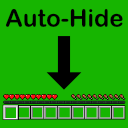
Auto-Hide Hotbar
by Ticataco
Auto-Hide Hotbar dims or hides HUD elements such as the hotbar, status bars and XP bar once they have been inactive for a configurable amount of time.
What it does
Minecraft's HUD stays on screen even when nothing on it changes, which can wear on OLED displays and clutter the view. Auto-Hide Hotbar tracks each HUD element and, after it has gone unchanged for a set time, hides it or dims it to a chosen opacity. Elements that become active again return immediately. The mod can act on the hotbar, the health bar, the hunger bar, the armor bar, the XP bar and the effect display, and it also covers the mount jump or dash bar, which only appears while it is charging. Held item tooltips are hidden by default and can be turned on in the settings.
Hotbar stats such as health and hunger stay visible while the inventory is open, so nothing disappears when a player needs it to manage items. Timing and opacity options can be set separately for each element. Architectury API and Fabric API are required dependencies, and MidnightLib is bundled inside the mod. It is published for Fabric and NeoForge across 26.1 – 26.3, and the code is open source under the MIT License.
Key features
Automatic hiding
Inactive HUD elements fade out after a configurable delay and return as soon as their values change.
Dimming with opacity
Instead of disappearing, elements can be dimmed to a configurable opacity, which keeps them readable at a glance.
Per-element control
The hotbar, health, hunger, armor, XP and effect displays can each be hidden or dimmed on their own.
Held item tooltips
Tooltips for the held item are off by default and can be enabled in the configuration.
Gallery
Compatibility
Latest build for each game version and loader.
Only full game releases are shown. This mod publishes no snapshot builds.
Requirements
Dependencies declared by the latest file for each loader.
Required 2


Embedded 1

Use cases
Who it’s for: Players on Fabric or NeoForge who want a less cluttered HUD or who play on OLED displays. The mod only runs on the client, so it does not need to be installed on servers.
How it compares
HUD Control is a Fabric-only client mod for 1.16.5 under the MIT License and is not open source, so it does not cover the 26.x releases. MinimalMenuX is a client-side mod for 26.2 – 26.3 on Fabric only, released under the CC0 1.0 Universal license and open source. Auto-Hide Hotbar covers Fabric and NeoForge across 26.1 – 26.3 and is also open source under the MIT License.
| Mod | Loaders | Game versions | Environment | Updated |
|---|---|---|---|---|
| Auto-Hide Hotbar | Fabric and NeoForge | 26.1 – 26.3 | Client-side only | 2026-09-17 |
| HUD Control | Fabric | 1.16.5 | Client-side only | 2025-12-13 |
| MinimalMenuX | Fabric | 26.2 – 26.3 | Client-side only | 2026-09-18 |
Questions
Does Auto-Hide Hotbar need Fabric API?
Does the server need Auto-Hide Hotbar?
Which game versions have files for Auto-Hide Hotbar?
In the catalog
Auto-Hide Hotbar is one of 36,990 Utility mods on ModsFinder, and one of 25,772 Utility mods for Fabric. 8,071 mods support Minecraft 26.3.
Similar mods





What the author says
Automatically dims or hides Minecraft's HUD when not in use to protect OLED displays from burn-in and provide a more minimal experience.
Official listing
- Modrinth page
- modrinth.com/mod/autohidehotbar
- Owner
- Ticataco
- Published
- 2026-06-12
- Updated on Modrinth
- 2026-09-17
- Facts verified
- 2026-10-15