
TexturesToMap
by 01stev
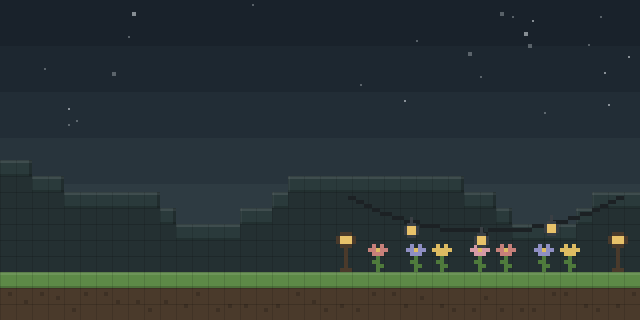
TexturesToMap is a decoration and utility mod that copies a block's texture onto a map, so an item frame can stand in for the real block.
What it does
Holding a map and right-clicking a supported block opens a texture selection menu listing the block textures the mod has detected. Choosing one copies it onto the map, and placing that map in an item frame produces a fake block effect. The output is a clean map version of the texture, and the copy happens without commands.
The mod suits hidden bases, pranks and illusion builds, and it removes the need to paint large pixel art by hand. Blocks from many modded sources can be copied when their models follow the usual Minecraft format; some animated or custom-rendered blocks with special block entity models may not work, and support for them is listed as a goal for future updates. An Invisibility Potion held while right-clicking makes nearby item frames invisible, and the Invisible Support Block is a solid placeable block that stays out of sight behind item frames, which helps for fake walls and hidden entrances in survival.
TexturesToMap runs on client and server, so both the server and every player need it. It is published for Fabric, Forge and NeoForge across 3 release versions, 1.20.1 – 1.21.11, and is not open source; the code is under All rights reserved.
Key features
Block texture to map
A map copies the texture of a supported block after the player picks it in the selection menu.
Fake block placement
Placing the map in an item frame creates the appearance of a block at that spot.
Invisible item frames
Holding an Invisibility Potion and right-clicking makes nearby item frames invisible, and the potion is consumed.
Invisible Support Block
A solid placeable block sits behind item frames, so normal blocks do not spoil the illusion.
Gallery
Compatibility
Latest build for each game version and loader.
Only full game releases are shown. This mod publishes no snapshot builds.
Use cases
Who it’s for: Builders who want convincing fake blocks for hidden bases, pranks or illusion setups, and server owners who run such builds on a shared world.
How it compares
Illusion bedrock works on Forge and NeoForge only, for 1.16.5 – 1.21.1, under All rights reserved, and runs on client and server. Invisible Item Frames targets 1.21.2 – 26.3 on Fabric, Forge, NeoForge and Quilt under the MIT License, and is needed on the server, with the client optional. TexturesToMap covers a different version range and environment than both.
| Mod | Loaders | Game versions | Environment | Updated |
|---|---|---|---|---|
| TexturesToMap | Fabric, Forge and NeoForge | 1.20.1 – 1.21.11 | Client and server | 2026-07-23 |
| Illusion bedrock | Forge and NeoForge | 1.16.5 – 1.21.1 | Client and server | 2025-02-13 |
| Invisible Item Frames | Fabric, Forge, NeoForge and Quilt | 1.21.2 – 26.3 | Server required, client optional | 2026-09-29 |
Questions
Does TexturesToMap need to be installed on the server?
Which loaders does TexturesToMap support?
Will every modded block produce a texture map?
In the catalog
TexturesToMap is one of 12,078 Decoration mods on ModsFinder, and one of 6,982 Decoration mods for Fabric. 19,862 mods support Minecraft 1.21.11.
More from 01stev


Similar mods





What the author says
TextureToMap is a unique Minecraft utility mod that lets you turn block textures into maps with a simple right-click system. Right-click a supported block while holding a map, choose one of the detected block textures, and instantly copy that texture onto the map. You can then place the map in an item frame to create…
Official listing
- Modrinth page
- modrinth.com/mod/texturestomap
- Owner
- 01stev
- Published
- 2026-06-15
- Updated on Modrinth
- 2026-07-23
- Facts verified
- 2026-10-15