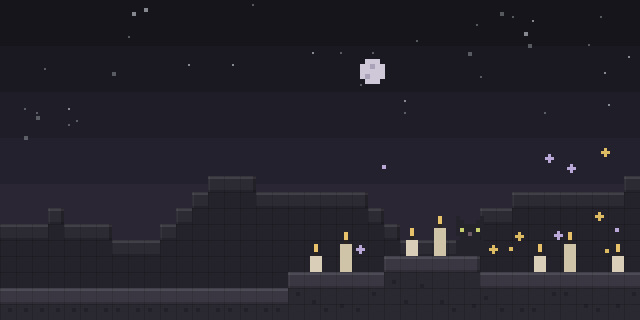

Screentext
by Cotii_Art
Screentext places text, timers, counters and textures on the screen, and players can animate or move them with a configurable position and scale.
What it does
Screentext displays text, timers, counters and image textures at a chosen position, scale and rotation on the HUD. Timers and counters can count down or count up, with optional decimals and tick sounds. Textures and GIFs can be shown anywhere on the screen, including fullscreen, and text supports Minecraft color codes, RRGGBB HEX colors, inline items and textures, and multiline layouts with live placeholders.
Displays can enter and exit with animations such as scale, slide, pixelate, glitch, bounce and spin, and can move to another position with easing, looping presets, color transitions and adjustable background opacity. Text can sit on a solid or rounded colored background, or on a custom background texture. Changed textures can be reloaded in game without restarting.
Screentext is a client required mod: players need it installed, while the server can add it for extra features. It is published for Fabric, Forge and NeoForge, with files for the versions 1.20.1 – 26.2, and the code is licensed under All rights reserved, so it is not open source.
Key features
Text and timers on screen
Text, timers and counters can be placed at a chosen position, scale and rotation, with adjustable opacity behind them.
Animated entries and movement
Displays can enter and exit with effects such as glitch or spin, and can move between positions with easing and looping presets.
Textures and GIFs
Images and animated GIFs can be displayed anywhere on the screen, including fullscreen, and text can include inline items and textures.
Live placeholders and formatting
Text supports Minecraft color codes, HEX colors, multiline layouts and placeholders that update while the game runs.
Gallery
Compatibility
Latest build for each game version and loader.
Only full game releases are shown. This mod publishes no snapshot builds.
How it compares
Avies Day Counter is a client-side only mod with files for 1.20.1 – 26.3, licensed under Creative Commons Attribution Non Commercial 4.0, so it is not open source. Items Timer is server required with client optional, published for Quilt as well as Fabric, Forge and NeoForge, under the MIT License, which is not open source either. QuickHud covers 1.20.1 – 1.21.11 and is released under All rights reserved, so the newest game versions are not included.
| Mod | Loaders | Game versions | Environment | Updated |
|---|---|---|---|---|
| Screentext | Fabric, Forge and NeoForge | 1.20.1 – 26.2 | Client required, server optional | 2026-09-13 |
| Avies Day Counter | Fabric, Forge and NeoForge | 1.20.1 – 26.3 | Client-side only | 2026-10-10 |
| Items Timer | Fabric, Forge, NeoForge and Quilt | 1.19.4 – 26.3 | Server required, client optional | 2025-10-03 |
| QuickHud | Fabric, Forge and NeoForge | 1.20.1 – 1.21.11 | Not published | 2026-05-01 |
Questions
Which loader should Screentext be used with?
Can Screentext show animated GIFs?
In the catalog
Screentext is one of 7,555 Cursed mods on ModsFinder, and one of 4,235 Cursed mods for Fabric. 13,894 mods support Minecraft 26.2.
More from Cotii_Art



Similar mods





What the author says
Display text, timers, counters, textures and GIFs anywhere on your screen, with backgrounds, animations, movement, live placeholders and more. Works on its own with client commands, or controlled from a server with ScreenTextPlugin. Use /screentext reload to reload textures after changing them.
Official listing
- Modrinth page
- modrinth.com/mod/screen_text
- Owner
- Cotii_Art
- Published
- 2026-05-22
- Updated on Modrinth
- 2026-09-13
- Facts verified
- 2026-10-15