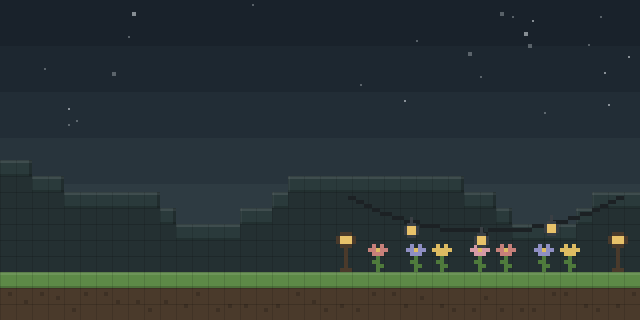

QDAA
by exaptations
QDAA applies 2x supersampling to the whole Minecraft screen, so the game renders at double resolution and downscales the result for display.
What it does
Supersampling is the most accurate and most expensive form of antialiasing. Rather than blurring edges after the fact, QDAA renders the entire scene at a higher resolution and downsizes it before presentation. A player on a 1280×720 window, for example, sees the game drawn at 2560×1440 and then resized to 1280×720. Because the work happens before the frame is drawn to the screen, pixelated textures and polygon edges are smoothed, including the edges of 3D item models.
The mod reuses functionality Minecraft already has for macOS Retina displays. It optimizes the final render step by replacing the normal quad render with a blit. Because it covers the whole frame, it also antialiases GUIs, which can make rotated text easier to read. Shaders only work in the world, so their effect is limited to what the game renders there. Mods that change how the framebuffer is put onto the screen can clash with QDAA.
Key features
2x supersampling
Renders the scene at twice the window resolution and downscales it, a simple form of super-sampling.
Smoothed pixel textures
Softens the stair-stepping of pixelated textures and the edges of 3D item models, which post-process methods often miss.
Antialiased interface
Applies the same smoothing to GUIs, which can improve the readability of rotated text.
Optimized final render step
Replaces the normal quad render with a blit at the last stage of drawing the frame.
Gallery
Compatibility
Latest build for each game version and loader.
1.21.x5 of 5 versions with builds
1.20.x7 of 7 versions with builds
1.19.x5 of 5 versions with builds
1.18.x3 of 3 versions with builds
1.17.x2 of 2 versions with builds
1.16.x6 of 6 versions with builds
1.15.x3 of 3 versions with builds
1.14.x5 of 5 versions with builds
This mod also publishes snapshot builds. Snapshots are not shown in the matrix.
Use cases
Clean pixel art textures
Players who run texture packs with pixelated art can view edges with less stair-stepping at a fixed window size.
Readable interface text
Players who find rotated or small GUI text hard to read can use the smoothing applied to the interface.
Who it’s for: Players who want supersampled antialiasing on Fabric, NeoForge or Quilt, on a client that can afford the extra rendering cost.
Questions
Which loader does QDAA need?
Does QDAA have to be installed on servers?
Which game versions does QDAA cover?
Can QDAA conflict with other mods?
In the catalog
QDAA is one of 12,078 Decoration mods on ModsFinder, and one of 6,982 Decoration mods for Fabric. 17,979 mods support Minecraft 1.21.4.
More from exaptations




Similar mods





What the author says
Implements really simple antialiasing via super-sampling, also known as SSAA. Antialiasing is often implemented via "FXAA", "TAA", "MSAA", etc. All of these methods are approximations, but they're very fast. FXAA and TAA are basically just really fancy blurs, and MSAA can only smooth polygon edges; pixelated textures…
Official listing
- Modrinth page
- modrinth.com/mod/qdaa
- Owner
- exaptations
- Published
- 2023-01-16
- Updated on Modrinth
- 2024-12-28
- Facts verified
- 2026-10-15