Dragon Block
by DoubleYTMc
Dragon Block adds Dragon Ball Z themed content to Minecraft, with blocks, items, armor, biomes, a dimension and a user interface button.
What it does
The mod brings Dragon Ball Z elements into the game: a Namek dimension with its own biome, Saiyan Pod and Battle Ore blocks, seven Dragon Balls, a blaster gun, Battle Shards, and Battle Armor pieces. A Super Saiyan effect is included as well. The author describes it as a beta, and the Forge file is published for Minecraft 1.20.1 only. The mod runs on the client alone, so servers do not need to install it. It is released under All rights reserved and is not open source.
Key features
Namek dimension
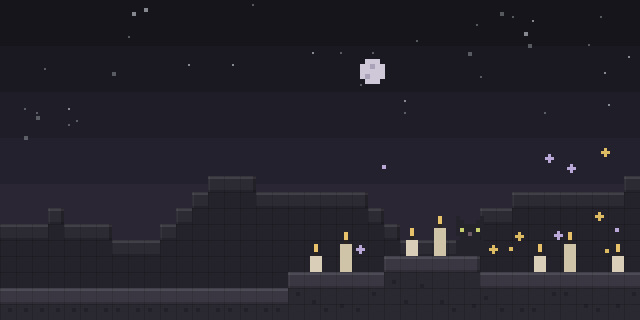
A dimension named Namek, with a Nemek biome, can be reached in the game.
Dragon Balls and weapons
Seven Dragon Ball items and a Blaster gun are added, along with Battle Shards.
Battle Armor set
Battle Armor pieces, including a chestplate and boots, are added as wearable equipment.
Gallery
Compatibility
Latest build for each game version and loader.
Only full game releases are shown. This mod publishes no snapshot builds.
How it compares
Dragon Ball Mineverse is a Forge mod for 1.20.1 that runs on the client and server together, and it is not open source. No Ender Dragon is a Forge mod for 1.20.1 that runs on the server alone, and it is not open source.
| Mod | Loaders | Game versions | Environment | Updated |
|---|---|---|---|---|
| Dragon Block | Forge | 1.20.1 | Client-side only | 2024-08-18 |
| Dragon Ball Mineverse | Forge | 1.20.1 | Client and server | 2025-11-12 |
| No Ender Dragon | Forge | 1.20.1 | Server-side only | 2024-02-10 |
In the catalog
Dragon Block is one of 7,555 Cursed mods on ModsFinder, and one of 3,426 Cursed mods for Forge. 34,764 mods support Minecraft 1.20.1.
More from DoubleYTMc


Similar mods





What the author says
About ---------------- > This mod adds blocks, ui, mobs, biomes, and more! GUI ------------------ > Menu UI > > Adds a UI for the mod > > Button to open the ui is V
Official listing
- Modrinth page
- modrinth.com/mod/dragon-block
- Owner
- DoubleYTMc
- Published
- 2024-07-06
- Updated on Modrinth
- 2024-08-18
- Facts verified
- 2026-10-15