
Camera Enhancements
by SyFloG
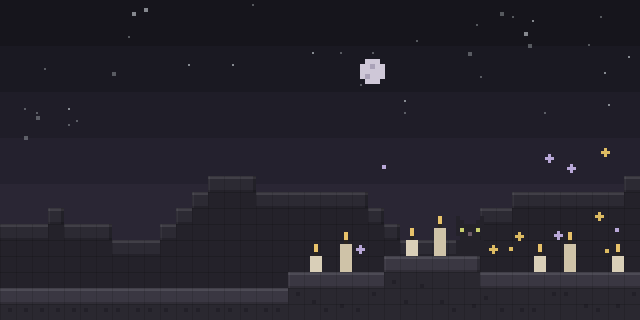
Camera Enhancements lets a player detach the camera from the body in survival-friendly ways, with a free camera, a locked tripod mode and saved camera positions tied to hotbar keys.
What it does
Pressing V leaves the body and moves the camera freely in a spectator-like mode. The free camera cannot pass through blocks and cannot interact with anything, and activating it does not prevent falling damage, so the mod stays close to survival play. Movement and interaction with the player's own body are blocked while the camera is detached.
Holding B and pressing a hotbar key stores the current camera position in that slot, and N with a hotbar key recalls it. Pressing N followed by a hotbar key switches to tripod mode, where the camera keeps a locked position but can still move. Holding the left Alt key rotates the camera around the player model without changing the direction the player faces, which helps when looking back while flying with an elytra.
The mod is client-side only, so servers do not need it and players can join without installing it. It is built on Fabric API, which must be installed alongside it, and it is released under the GNU Lesser General Public License v3.0 only. Its source code and issue tracker are public, and the author welcomes suggestions for new features and updates to existing ones.
Key features
Free camera
Pressing V detaches the camera from the body so it can move through the world in spectator-like freedom.
Saved camera slots
Holding B and a hotbar key stores a camera position, and N with the same key returns to it.
Tripod mode
Pressing N and a hotbar key locks the camera in place while still allowing it to move.
Alt rotation
Holding left Alt rotates the camera around the player model without turning the player.
Compatibility
Latest build for each game version and loader.
26.x5 of 5 versions with builds
1.21.x10 of 10 versions with builds
Only full game releases are shown. This mod publishes no snapshot builds.
Requirements
Dependencies declared by the latest file for each loader.
Required 1

Use cases
Who it’s for: Players who want cinematic or inspection camera views in single-player or multiplayer, on Fabric, without changing how the server plays.
How it compares
Second Person Camera is a Fabric client mod for 1.21 – 1.21.11 under the MIT License and is not open source. Omnilook is client-side only on several loaders b1.7.3 – 26.2 under a custom license and is not open source. Camera Enhancements is open source under the GNU Lesser General Public License v3.0 only and covers 1.21.1 – 26.3 on Fabric.
| Mod | Loaders | Game versions | Environment | Updated |
|---|---|---|---|---|
| Camera Enhancements | Fabric | 1.21.1 – 26.3 | Client-side only | 2026-09-18 |
| Second Person Camera | Fabric | 1.21 – 1.21.11 | Client-side only | 2026-04-23 |
| Omnilook | Fabric, Forge, NeoForge, Quilt, Babric, Legacy Fabric, Rift and LiteLoader | b1.7.3 – 26.2 | Client-side only | 2026-04-19 |
Questions
Does Camera Enhancements need Fabric API?
Does a server need Camera Enhancements?
Can the free camera be used to avoid fall damage?
In the catalog
Camera Enhancements is one of 7,555 Cursed mods on ModsFinder, and one of 4,235 Cursed mods for Fabric. 8,071 mods support Minecraft 26.3.
More from SyFloG

Similar mods






What the author says
Pressing a V key enables you to leave your body and freely move the camera as in spectator mode. To keep this as survival friendly as possible while in freecam you cannot go through blocks or interact with anything. it does not however prevent movement/interaction with your player by outside forces. Meaning…
Official listing
- Modrinth page
- modrinth.com/mod/camenh
- Owner
- SyFloG
- Published
- 2024-09-28
- Updated on Modrinth
- 2026-09-18
- Facts verified
- 2026-10-15