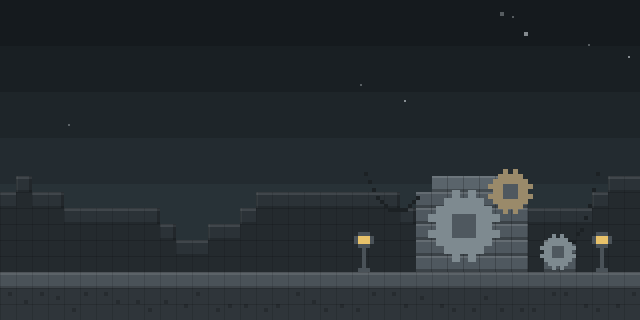

Where? - Coordinates & Pings
by xinq
Where? - Coordinates & Pings is a Fabric utility for sharing, converting and displaying coordinates in chat and on the map, with pings that mark locations for the team.
What it does
Players can detect coordinates typed in chat, copy them with a single action, and send their current position to other players, either to everyone or privately to one player. Coordinates can be converted between the Overworld, the Nether and the End, so a position taken in one dimension can be matched in another. Clickable coordinate menus in chat make the same actions available without retyping anything.
Pings place a marker that shows the coordinates, the distance, the dimension, the creator's face and arrows pointing toward the spot, and each ping despawns after a timer. Normal pings are visible to everyone, while team-only pings and team commands keep locations inside a group. A settings menu controls how pings look and behave, so the display can be tuned per player.
The mod is published for Fabric only, across 12 release versions, and either side can run it while neither needs it. Files are not open source and are released under All rights reserved.
Key features
Coordinate detection in chat
Coordinates written in chat are recognized, so they can be copied or converted without manual retyping.
Dimension conversion
Positions convert between the Overworld, the Nether and the End, keeping travel calculations in one place.
Normal and team pings
Pings can be shared with every player or limited to a team, and each shows its coordinates, distance and creator.
Private coordinate sharing
A player can send current coordinates to a single chosen player rather than the whole chat.
Configurable ping display
A settings menu adjusts how pings look and behave, including their timers and markers.
Gallery
Compatibility
Latest build for each game version and loader.
26.x1 of 1 version with builds
1.21.x11 of 11 versions with builds
Only full game releases are shown. This mod publishes no snapshot builds.
Use cases
Who it’s for: Players who share positions in chat or coordinate travel between dimensions with a group will find the commands and pings useful. Server owners can use the same features on multiplayer servers, where the mod is optional for players.
How it compares
Portal Calculator is a Fabric mod for 1.20.1 – 26.3 that runs on client and server and is open source under the CC0 1.0 Universal license, so it focuses on portal math rather than pings. Tab Ping is client-side only, open source under the MIT License, and covers 1.20.4 – 26.1, while this mod shares pings and coordinates in chat and is not open source.
| Mod | Loaders | Game versions | Environment | Updated |
|---|---|---|---|---|
| Where? - Coordinates & Pings | Fabric | 1.21.1 – 26.1.2 | Client or server, optional | 2026-06-14 |
| Portal Calculator | Fabric | 1.20.1 – 26.3 | Client and server | 2026-09-19 |
| Tab Ping | Fabric | 1.20.4 – 26.1 | Client-side only | 2026-03-25 |
Questions
Does Where? need any other mod?
Must the server install Where?
Which versions does the mod support?
In the catalog
Where? - Coordinates & Pings is one of 8,499 Technology mods on ModsFinder, and one of 4,201 Technology mods for Fabric. 15,189 mods support Minecraft 26.1.2.
More from xinq

Similar mods


What the author says
Where? is a Minecraft utility mod for quickly sharing, displaying, converting, and managing coordinates. The mod can detect coordinates in chat and lets you copy them, convert them between dimensions, display them as pings, or send them to other players.
Official listing
- Modrinth page
- modrinth.com/mod/where-coordinates-pings
- Owner
- xinq
- Published
- 2026-05-26
- Updated on Modrinth
- 2026-06-14
- Facts verified
- 2026-10-15