
Sparkles
by FunkyToc
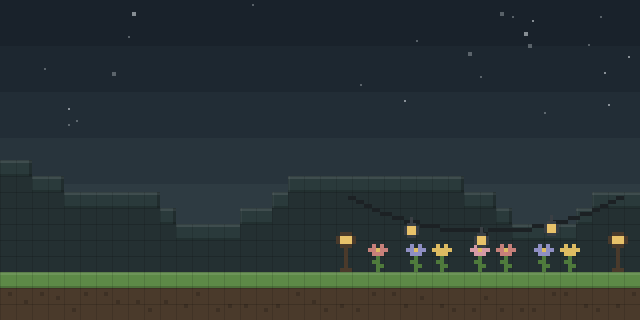
Sparkles is a decoration library that places particle spotlights in a build, controlled through in-game chat commands and a datapack.
What it does
Sparkles adds visual effects that decorate builds. A spotlight is placed on a chosen spot, and the player points the character's direction to orient it. Players open the chat, type the start command, choose a spot and press enter, then use create, edit or remove to manage spotlights. The command line supports arrow keys to move up and down and TAB to auto-complete. An in-game demo is available to try the commands before building with them.
Removing a spotlight works by standing close to the center of the spot and entering the deletion command, with a distance from 1 to 5 that also completes with TAB. Render distance is set by a global option, with a default of 3 and a range from 1 to 5, plus 99 for unlimited. A second option lets each player set an individual render distance to match their computer, and a single spot can be forced to a custom distance.
Sparkles is distributed for Fabric, Forge, NeoForge and Quilt, plus as a datapack. The server must run the mod, while players may add it for the in-game commands, so the server is the side that depends on it. Files cover 1.17 – 1.21.11 across 24 release versions. The code is under a Creative Commons license that is not open source.
Key features
Particle spotlights
Spotlights emit particle effects, and many particles can be used to make a build stand out.
Chat-based editing
Spotlights are created, edited and removed through chat commands with arrow-key and TAB navigation.
Render distance options
A global default of 3 can be changed to any value from 1 to 5, or to 99 for unlimited, and individual players can override it.
Per-spot distance
Individual spots can be forced to a custom render distance, so important features stay visible from farther away.
Gallery
Compatibility
Latest build for each game version and loader.
Only full game releases are shown. This mod publishes no snapshot builds.
Use cases
Lighting builds
Builders place spotlights where they want light effects, pointing each one in a chosen direction.
Server builds
Server owners install the mod on the server so features appear for everyone who joins.
Who it’s for: Builders who want particle effects on their structures, and server owners who run shared builds. Players join a server with the mod without installing it, though the in-game commands need the client side.
Questions
Does Sparkles need to be installed on the client?
Which loaders are supported?
Why does a spotlight not render at a distance?
In the catalog
Sparkles is one of 12,078 Decoration mods on ModsFinder, and one of 6,982 Decoration mods for Fabric. 19,862 mods support Minecraft 1.21.11.
More from FunkyToc


Similar mods





What the author says
Sparkles adds visual effects to decorate your builds. It's for solo and multiplayer (require admin role). Almost easy to use, tons of particles! When removing a spot, stay as close as possible of the center of the spot. Chose the deletion distance at the end of the command, from 1 to 5 (complete with TAB).
Official listing
- Modrinth page
- modrinth.com/mod/sparkles-decoration
- Owner
- FunkyToc
- Published
- 2025-09-08
- Updated on Modrinth
- 2026-01-30
- Facts verified
- 2026-10-15