
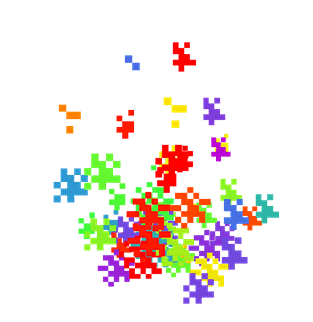
Particle Color
by Rzerr
Particle Color lets players pick custom colors for most in-game particles, including the critical hit and eating effects, in place of the default palette.
What it does
The mod changes the color of most particles that appear in the game. Critical hits, impact effects and the particles that show when a player eats are among those it covers. Instead of keeping the default colors, a player chooses from a set of shades for each particle type, and the change is applied the next time those particles spawn.
Its options can be set without editing game files, so the appearance of particles can be adjusted directly. The mod is designed for a more customizable experience, where players select and change particle colors to suit their own build or screenshots. It runs on Fabric for Minecraft 1.20.1 and is client-side only, so only the player's own game needs it and servers do not.
The code is not open source and is released under All rights reserved. Latest Fabric file is 1.0.0 for 1.20.1, first published on 2026-08-21, and the page was last updated on the same date.
Key features
Critical hit particles
Critical hit effects can be given their own color, so combat looks different from the default particles.
Eating and impact particles
Particles shown when eating food and on impact can be recolored from the same options.
Choice of shades
Each particle type offers a selection of shades, so colors can be chosen instead of using the defaults.
Configurable options
The options are simple to set, so changing how particles look takes little effort.
Gallery
Compatibility
Latest build for each game version and loader.
Only full game releases are shown. This mod publishes no snapshot builds.
Use cases
Matching a build theme
A player with a themed world can set particle colors to fit the palette of the builds and scenery around them.
Recording and screenshots
Recolored effects can make combat or food particles easier to see in video or screenshots.
Who it’s for: Players who want to change the look of in-game particles on their own client. Because the mod is client-side only, it does not need to be installed on a server, and players on a server that does not run it still see their own colors.
How it compares
Angled Particles is open source under the MIT License and is client-side only, with files for 1.20.1 – 1.21.11. Ambient Particles is client-side only and not open source, with files for 1.20 – 1.21.8, and is released under All rights reserved. Particle Color covers only 1.20.1 and is also not open source.
| Mod | Loaders | Game versions | Environment | Updated |
|---|---|---|---|---|
| Particle Color | Fabric | 1.20.1 | Client-side only | 2026-08-21 |
| Angled Particles | Fabric | 1.20.1 – 1.21.11 | Client-side only | 2026-02-10 |
| Ambient Particles | Fabric | 1.20 – 1.21.8 | Client-side only | 2025-12-21 |
Questions
Does Particle Color need Fabric API?
Does Particle Color have to be installed on the server?
Which Minecraft versions does Particle Color support?
In the catalog
Particle Color is one of 12,078 Decoration mods on ModsFinder, and one of 6,982 Decoration mods for Fabric. 34,764 mods support Minecraft 1.20.1.
Similar mods





What the author says
ParticleColor es un mod para Minecraft 1.20.1 con Fabric, diseñado para personalizar las partículas y sus colores. Cuenta con opciones fáciles de configurar, permitiendo modificar la apariencia de las partículas de forma sencilla. Está pensado para ofrecer una experiencia más personalizable, con diferentes opciones…
Official listing
- Modrinth page
- modrinth.com/mod/particle-color
- Owner
- Rzerr
- Published
- 2026-08-21
- Updated on Modrinth
- 2026-08-21
- Facts verified
- 2026-10-15