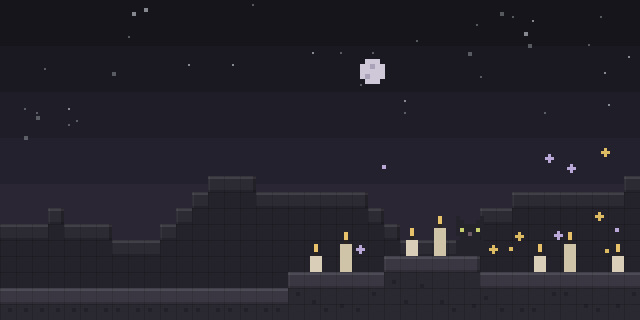

No Escape
by Player005
No Escape stops the keys that normally leave a Minecraft session, so a player cannot quit the game by accident during play.
What it does
The mod blocks the ordinary ways of leaving a world or closing the game. Opening the escape menu, quitting to the title screen, switching worlds, changing settings, exiting fullscreen with F11, closing the window with Alt+F4 from the main menu and switching windows with Alt+Tab are all restricted while it is active. Holding two keys together, such as left Alt and right Shift, is the documented hotkey that bypasses those limits.
The restrictions are a deliberate barrier against accidental exits rather than a lock on the game. Because the bypass is a fixed key combination, a player who needs to leave the session can still do so once they use it. The mod runs on the client only, so a server does not need to install it and players can join without it.
No Escape is released under the GNU Lesser General Public License v3.0 or later, and its source code and issue tracker are public. Files are published for Fabric, Forge, NeoForge and Quilt across 30 release versions, 1.16 – 1.21.6, with 1.1.1 for 1.21.6 as the latest file on each loader.
Key features
Blocked exit keys
Opening the escape menu and quitting to the title screen are prevented while the mod is active.
Restricted window actions
Exiting fullscreen with F11, closing with Alt+F4 from the main menu and switching windows with Alt+Tab are limited.
Hotkey bypass
Holding left Alt and right Shift together lets a player get past the restrictions when needed.
Client-only setup
The mod changes only the client, so servers need no installation and players can join without it.
Compatibility
Latest build for each game version and loader.
1.21.x7 of 7 versions with builds
1.20.x7 of 7 versions with builds
1.19.x5 of 5 versions with builds
1.18.x3 of 3 versions with builds
1.17.x2 of 2 versions with builds
1.16.x6 of 6 versions with builds
Only full game releases are shown. This mod publishes no snapshot builds.
Use cases
Protecting long sessions
A player running a long build, timed run or stream can avoid losing progress to a misplaced key press.
Shared screens
Someone playing on a shared computer or in front of an audience can keep the window from closing by accident.
Who it’s for: Players who want protection against accidental exits during long sessions, streams or shared-screen play, and who are comfortable using a bypass combination when they really need to leave.
Questions
Does No Escape have to be installed on the server?
How does a player leave the game while the mod is active?
Which loaders and versions does No Escape support?
In the catalog
No Escape is one of 7,555 Cursed mods on ModsFinder, and one of 4,235 Cursed mods for Fabric. 13,625 mods support Minecraft 1.21.6.
More from Player005


Similar mods






What the author says
This mod prevents the user from: - opening the escape menu (and thus, from switching worlds or changing settings) - exiting Fullscreen (either from settings or using F11) - closing Minecraft (using alt + f4 or the button in the main menu) - switching to a different window (i.e. using alt + tab) There is a hotkey to…
Official listing
- Modrinth page
- modrinth.com/mod/noescape
- Owner
- Player005
- Published
- 2024-10-07
- Updated on Modrinth
- 2024-10-17
- Facts verified
- 2026-10-15