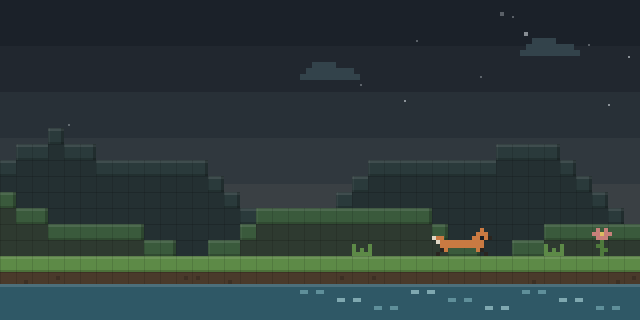

Environmental Fog Disable
by Tyler_
Environmental Fog Disable adds a Video Settings toggle that removes the blueish-gray haze Minecraft 1.21.6 introduced, which is most visible during rain and in certain biomes.
What it does
Starting with 1.21.6, Minecraft layers a bluish-gray atmospheric haze across the landscape, and it stands out most during rainfall and in certain biomes. This mod adds an Environmental Fog option to the Video Settings screen. Turning it on disables that haze, and turning it off restores the vanilla fog, so the setting can be reverted at any time.
The option changes apply instantly and no restart is needed, and the preference is saved automatically. The mod is a client mod, so only the player's own game is affected. It requires Fabric Loader and Fabric API on Fabric, and it is also published for NeoForge. Files cover 1.21.6, 1.21.10, 26.2 and 26.3, with 1.0.0 for 26.3 as the latest build for both loaders. The code is released under the MIT License, and the mod is not open source.
Key features
Environmental Fog toggle
Turning on the Environmental Fog option under Video Settings removes the bluish-gray atmospheric haze that arrived with 1.21.6.
Instant changes
Turning the option on or off takes effect immediately, without restarting the game or reloading the world.
Saved preference
The chosen setting is stored automatically and stays in place across sessions.
Vanilla fog restore
Switching the option back on returns the default fog for players who want the original look.
Gallery
Compatibility
Latest build for each game version and loader.
Only full game releases are shown. This mod publishes no snapshot builds.
Use cases
Clear skies in rain
Players who find the haze heavy during storms can keep the sky readable while exploring in rain.
Biome visibility
Players moving through biomes where the fog is strongest can see farther without changing any other video setting.
Who it’s for: Players on Minecraft 1.21.6 and later who want a clearer view and prefer to remove the new atmospheric fog. Only the client needs the mod, so servers can run without it.
How it compares
Disable Fog is a client-side mod for Fabric, Forge, NeoForge and Quilt covering 1.20.1 – 26.3, released under All rights reserved and not open source. ClearVision is a client-side Fabric mod for 1.21.10 – 26.1.2 under the MIT License, not open source. No Fog Perfected is a client-side mod for Fabric and NeoForge covering 1.21.11 – 26.3 under the MIT License, and it is open source.
| Mod | Loaders | Game versions | Environment | Updated |
|---|---|---|---|---|
| Environmental Fog Disable | Fabric and NeoForge | 1.21.6 – 26.3 | Client-side only | 2026-09-18 |
| Disable Fog | Fabric, Forge, NeoForge and Quilt | 1.20.1 – 26.3 | Client-side only | 2026-09-22 |
| ClearVision | Fabric | 1.21.10 – 26.1.2 | Client-side only | 2026-05-15 |
| No Fog Perfected | Fabric and NeoForge | 1.21.11 – 26.3 | Client-side only | 2026-10-12 |
Questions
Does Environmental Fog Disable need Fabric API?
Does the server need to install this mod?
Which game versions are covered?
In the catalog
Environmental Fog Disable is one of 3,545 Optimization mods on ModsFinder, and one of 2,575 Optimization mods for Fabric. 8,071 mods support Minecraft 26.3.
More from Tyler_


Similar mods


What the author says
Minecraft 1.21.6 introduced a new atmospheric fog system that adds a blueish-gray haze to your world, especially noticeable during rain and in certain biomes. This mod gives you control back by adding a simple toggle in your Video Settings. Disables the blueish-gray atmospheric fog by default Easy toggle: Options →…
Official listing
- Modrinth page
- modrinth.com/mod/environmental-fog-disable
- Owner
- Tyler_
- Published
- 2025-11-16
- Updated on Modrinth
- 2026-09-18
- Facts verified
- 2026-10-15