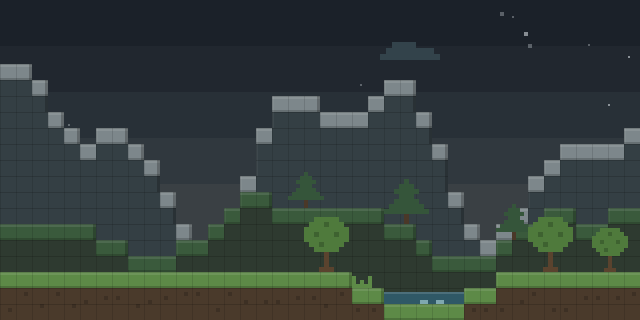

Custom Default World Preset
by MattiDragon
Custom Default World Preset lets server owners choose which world preset new worlds start with, by editing a text file in the config directory.
What it does
The mod is a small Fabric-based tool for changing the default world preset. The preset is set in a file named default world preset.txt inside the config directory, and that file holds the identifier of the preset to use. The identifier can be written without its prefix. Changes take effect the next time the world creation screen is opened, so the game does not need to restart for a new value to appear. The preset must be loaded from the initial datapacks, and most global datapack mods work with it.
The mod is server-side only, so players join without installing anything. It is aimed at dedicated servers, where the default preset applies to new worlds, and it is released under the MIT License. Required dependency: Fabric API. Files exist for 1.19.2 – 26.2 on Fabric, NeoForge and Quilt.
Key features
Default preset file
The default world preset is read from a text file in the config directory, which can be edited by hand.
Preset identifier
The file holds the identifier of the preset, and the prefix may be left out.
Changes on reopen
Edits to the file appear once the world creation screen is reopened, without a restart.
Compatibility
Latest build for each game version and loader.
26.x4 of 4 versions with builds
1.21.x6 of 6 versions with builds
1.20.x6 of 6 versions with builds
1.19.x3 of 3 versions with builds
This mod also publishes snapshot builds. Snapshots are not shown in the matrix.
Requirements
Dependencies declared by the latest file for each loader.
Required 1

How it compares
Flat Dimensions World Preset is a server-side option for 26.2 – 26.3 is needed on the server, with the client optional, under All rights reserved and not open source. Texture Presets is a client-side mod for 1.21.1 only, under the MIT License and not open source. Config Presets is client-side, open source under the MIT License and covers 1.21.11 – 26.1.2.
| Mod | Loaders | Game versions | Environment | Updated |
|---|---|---|---|---|
| Custom Default World Preset | Fabric, NeoForge and Quilt | 1.19.2 – 26.2 | Server-side only | 2025-12-25 |
| Flat Dimensions World Preset | Fabric, Forge, NeoForge and Quilt | 26.2 – 26.3 | Server required, client optional | 2026-09-15 |
| Texture Presets | Fabric | 1.21.1 | Client-side only | 2026-06-04 |
| Config Presets | Fabric and NeoForge | 1.21.11 – 26.1.2 | Client-side only | 2026-06-28 |
Questions
Does Custom Default World Preset need Fabric API?
In the catalog
Custom Default World Preset is one of 8,515 World generation mods on ModsFinder, and one of 4,027 World generation mods for Fabric. 13,894 mods support Minecraft 26.2.
More from MattiDragon


Similar mods


What the author says
To configure the default world preset you edit the default_world_preset.txt file in your config directory. It should contain the id of the desired default preset. The minecraft: prefix may be omitted. The configuration is read each time the key is used, so changes should show up be reopening the world creation…
Official listing
- Modrinth page
- modrinth.com/mod/custom-default-world-preset
- Owner
- MattiDragon
- Published
- 2023-04-07
- Updated on Modrinth
- 2025-12-25
- Facts verified
- 2026-10-15