
Camera Circles
by chai0k
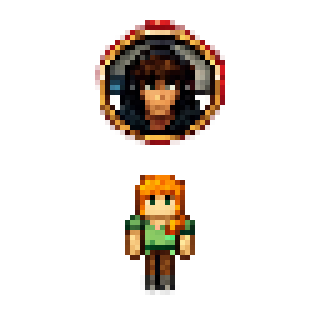
Camera Circles streams each player's webcam as a small live circle that floats above their head, so other players can see their face in-game.
What it does
Once a player turns the broadcast on, the webcam feed appears as a circle above the player's head for everyone else in the world. Viewers see the face in a portrait-like frame, and the video travels over the normal Minecraft connection, so no separate VoIP server or extra firewall ports are needed. The mod is built for Fabric, and Fabric API must be installed alongside it. Both the client and the server need the mod for the relay to work.
The default state is quiet: nothing is sent until a player presses the toggle key, and pressing it again stops the broadcast. A setting remembers whether the broadcast was running when the game closed and can restart it at the next join. Only one side is not enough, since clients broadcast and the server relays the video to other players. Builds cover 1.21 – 26.1.2, and newer server builds call for a recent Java runtime.
Key features
Live circle above the head
The webcam feed is shown as a small circle floating above the player's head, with the face framed like a portrait.
Two display styles
A player can pick one of two display styles to decide how the circle and the video look above the head.
Broadcast toggle
Nothing is sent by default. One keybind starts the broadcast and the same key stops it.
Settings screen
A settings screen opens with a keybind, split into four tabs for the camera device, picture size, send rate and broadcast options.
Selecting a camera
When more than one webcam is connected, the player can pick the specific device to use.
Gallery
Compatibility
Latest build for each game version and loader.
Only full game releases are shown. This mod publishes no snapshot builds.
Use cases
Friends on a server
Players who play together can see each other's faces above their heads while playing, similar to video messages in a chat app.
Who it’s for: Players and server owners who want live faces in a Fabric world. Both sides need the mod, and the server must run it for the relay to work.
How it compares
Webcam is a Fabric, NeoForge and Quilt mod for 1.21.1 – 26.3 with a custom license that is not open source, and it also runs on the client and server. Easy Camera is a Fabric mod for 1.21.1 – 1.21.7, open source under the MIT License, also run on client and server. WebCam Bubbles is a Fabric mod built only for 1.21.4 under the MIT License.
| Mod | Loaders | Game versions | Environment | Updated |
|---|---|---|---|---|
| Camera Circles | Fabric | 1.21 – 26.1.2 | Not published | 2026-05-25 |
| Webcam | Fabric, NeoForge and Quilt | 1.21.1 – 26.3 | Client and server | 2026-09-20 |
| Easy Camera | Fabric | 1.21.1 – 1.21.7 | Client and server | 2025-06-27 |
| WebCam Bubbles | Fabric | 1.21.4 | Client and server | 2025-06-29 |
Questions
Does Camera Circles need Fabric API?
Does the server need a separate voice server?
In the catalog
Camera Circles is one of 5,392 Social mods on ModsFinder, and one of 4,084 Social mods for Fabric. 15,189 mods support Minecraft 26.1.2.
Similar mods







What the author says
See your friends' faces in Minecraft. Camera Circles streams your webcam to other players as a live video circle above your head — like Telegram's video messages, but inside the game. You need the mod in two places: on your client (to broadcast and see others), and on your server (to relay the video to other…
Official listing
- Modrinth page
- modrinth.com/mod/camera-circles
- Owner
- chai0k
- Published
- 2026-05-23
- Updated on Modrinth
- 2026-05-25
- Facts verified
- 2026-10-15