

Tempad to Map
by KURONAMI
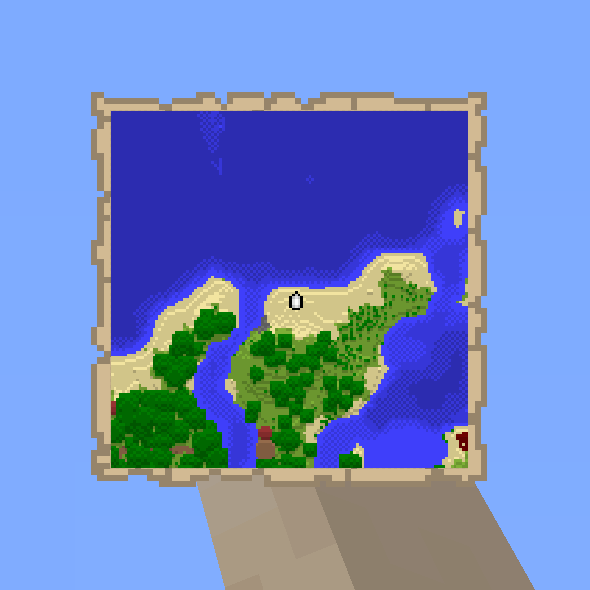
Tempad to Map keeps saved Tempad locations in sync with JourneyMap, so each location shows up as a waypoint on the map.
What it does
Saved Tempad locations appear as JourneyMap waypoints as soon as they are stored. Renaming, moving or deleting a location in Tempad updates or removes its waypoint to match. Only the locations a player saved for themselves are synced, and any edit made through the waypoint on the map flows back into Tempad. Tempad is required; JourneyMap is optional but needed to see the waypoints. Builds are published for NeoForge 1.21.1 only, and the mod runs on client and server, while the code is All rights reserved and not open source.
Key features
Saved locations as waypoints
Each location saved in Tempad is added to JourneyMap as a waypoint without any extra step.
Changes carried over
Renaming, moving or deleting a location in Tempad updates the matching waypoint on the map.
Two-way editing
Editing a waypoint on the JourneyMap map changes the location stored in Tempad.
Compatibility
Latest build for each game version and loader.
Only full game releases are shown. This mod publishes no snapshot builds.
Requirements
Dependencies declared by the latest file for each loader.
Required 1

Optional 1

Questions
Does Tempad to Map need Tempad?
Is JourneyMap required to use the mod?
In the catalog
Tempad to Map is one of 19,031 Adventure mods on ModsFinder, and one of 8,588 Adventure mods for NeoForge. 32,366 mods support Minecraft 1.21.1.
More from KURONAMI


Similar mods



What the author says
Save a location in Tempad and it appears as a JourneyMap waypoint. Rename, move, or delete the location in Tempad, and the waypoint follows. Only your own saved Tempad locations are synced. Changes go from Tempad to JourneyMap; editing a waypoint on the map does not change Tempad.
Official listing
- Modrinth page
- modrinth.com/mod/tempad-to-map
- Owner
- KURONAMI
- Published
- 2026-08-26
- Updated on Modrinth
- 2026-08-26
- Facts verified
- 2026-10-15