
Plonk
by BlueAgent
Plonk lets players place items flat on blocks in the world, with rotation and stacking controls, and it runs on Forge and NeoForge.
What it does
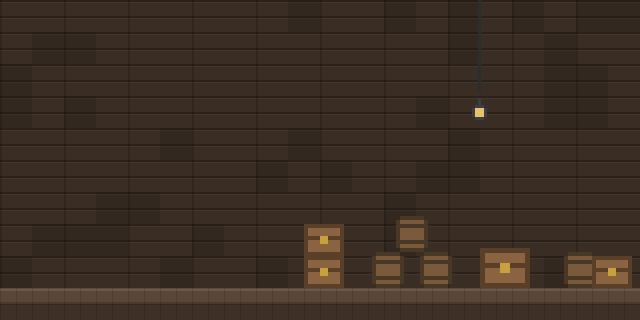
Pressing the Place Item key, which defaults to P, while looking at a block sets an item down on that block's face. Up to four stacks can sit on one side of any block, and the maximum size of each stack is configurable. Holding Sneak with the key rotates the whole group of items in four directions, while Sneak with an empty hand rotates a single item in sixteen directions. Placed items can be taken out by automation but cannot be inserted into, and fluids can wash them away even though they cannot wash away the blocks underneath.
Plonk is published for Forge and NeoForge, with files covering 1.7.10 – 26.1.2 and 22 release versions. The latest NeoForge file is 10.0.10 for 26.1.2, and the latest Forge file is 10.0.5 for 1.20.1. Both sides need the mod, since the environment is client and server. ItemPhysic and StackUp! are optional dependencies: StackUp! raises the stack limit that Plonk respects, and ItemPhysic adds physics to the placed items. The code is open source under the MIT License.
Key features
Place items on any block
Pressing the Place Item key while looking at a block puts an item on that face, with no crafting step.
Stack several items per side
Up to four stacks can be placed on one side of a block, and the size limit per stack is set in the config.
Rotate single items
Sneak with an empty hand and right-click to turn an individual item through sixteen directions.
Rotate the whole group
Sneak with the Place Item key and an empty hand to turn the entire group of placed items in four directions.
Compatibility
Latest build for each game version and loader.
26.x3 of 3 versions with builds
1.21.x2 of 2 versions with builds
1.20.x2 of 2 versions with builds
1.19.x5 of 5 versions with builds
1.18.x1 of 1 version with builds
1.16.x5 of 5 versions with builds
1.15.x1 of 1 version with builds
1.14.x1 of 1 version with builds
1.12.x1 of 1 version with builds
1.7.x1 of 1 version with builds
Only full game releases are shown. This mod publishes no snapshot builds.
Requirements
Dependencies declared by the latest file for each loader.
Optional 2

Use cases
Display shelves
Items laid on a block face work as an arranged display in a shop, museum or base room.
Automated extraction
Placed items can be pulled out by hoppers or other automation, so they can serve as a simple supply point.
Who it’s for: Players who want to decorate builds with loose items, and server owners who need a light placement mechanic on a shared world.
Questions
Does Plonk need to be installed on both sides?
Which key does Plonk use, and can it be changed?
Does Plonk work with StackUp! and ItemPhysic?
In the catalog
Plonk is one of 4,058 Storage mods on ModsFinder, and one of 1,886 Storage mods for Forge. 15,189 mods support Minecraft 26.1.2.
Similar mods


What the author says
Available on 1.7.10, 1.12.2, 1.14.4, 1.15.2, 1.16.5, 1.18.2, 1.19.2, 1.19.4, 1.20.1, 1.21.1, 26.1.x. Supported versions in bold (but I'll try to support the other versions too within reason). \* Note (for 1.16.4+): The P key used by Plonk conflicts with the Social Interactions Screen key so you'll have to change one…
Official listing
- Modrinth page
- modrinth.com/mod/plonk
- Owner
- BlueAgent
- Published
- 2020-12-01
- Updated on Modrinth
- 2026-08-03
- Facts verified
- 2026-10-15