
Memory Usage Display
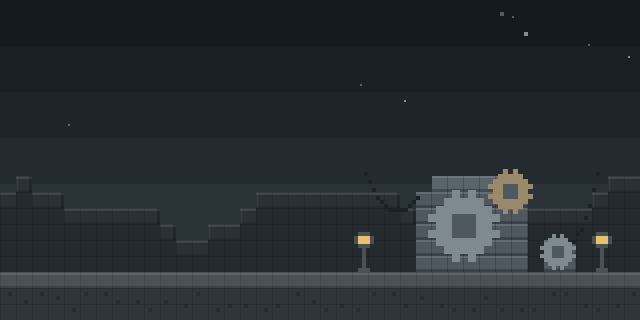
Memory Usage Display shows how much RAM Minecraft is using directly in the action bar, above the hotbar, in a short readout such as 2.0/10.0 GB 20%.
What it does
Once installed, the Memory Usage Display mod writes the game's memory use into the action bar, the line of text that sits right above the hotbar. Players no longer need to open the vanilla debug screen or search through text to find the figure. The readout shows the amount in use, the total allocated and a percentage, and its color shifts as the share of memory in use grows.
The whole mod can be switched on and off with a command it adds, so the display stays hidden until a player wants it. It needs Fabric API and is published only for Fabric, on Minecraft 1.21.3. The mod is client-side only, so players can add it to a server without the server owner installing anything, and the code is released under the MIT License without being open source.
Files are available for the 1.21.3 release, with 1.0.0 as the only version, uploaded 2024-12-27. The author's gallery tab shows what the readout looks like in game.
Key features
Memory readout in the action bar
The current memory use, the allocated total and the percentage appear as one line above the hotbar.
Color by memory share
The text color changes with the proportion of RAM in use, so high usage stands out at a glance.
Command toggle
A command switches the whole display on or off, leaving the rest of the interface untouched while it is off.
Vanilla debug alternative
The readout replaces the need to open the vanilla debug screen to check memory, keeping the figure in view during play.
Gallery
Compatibility
Latest build for each game version and loader.
Only full game releases are shown. This mod publishes no snapshot builds.
Requirements
Dependencies declared by the latest file for each loader.
Required 1

Use cases
Who it’s for: Players on Minecraft 1.21.3 with Fabric who want to watch RAM use without opening the debug screen. The display is a client-side visual, so it suits single-player sessions and multiplayer clients alike.
How it compares
Xodium is a client-side Fabric mod for 1.21.11 under All rights reserved, so it is not open source. Memory Check runs on the server side only and is published for 1.19.2 – 26.3 under the GNU General Public License v3.0 only, which makes it open source. SmartTriggers is client-side, open source under the MIT License and covers 1.21.11 – 26.1.2, so it reaches later versions than this mod.
| Mod | Loaders | Game versions | Environment | Updated |
|---|---|---|---|---|
| Memory Usage Display | Fabric | 1.21.3 | Client-side only | 2024-12-27 |
| Xodium | Fabric | 1.21.11 | Client-side only | 2026-03-28 |
| Memory Check | Fabric | 1.19.2 – 26.3 | Server-side only | 2026-03-28 |
| SmartTriggers | Fabric | 1.21.11 – 26.1.2 | Client-side only | 2026-06-15 |
Questions
Does Memory Usage Display need Fabric API?
Does the server need Memory Usage Display installed?
Can the display be turned off without removing the mod?
Which Minecraft versions does Memory Usage Display support?
In the catalog
Memory Usage Display is one of 8,499 Technology mods on ModsFinder, and one of 4,201 Technology mods for Fabric. 13,252 mods support Minecraft 1.21.3.
More from ExiledLizard635





Similar mods






What the author says
Memory Usage Display is a client-sided only Minecraft mod, for the Fabric Loader, that allows users to view their game memory usage, via Minecraft's action bar. For example, the action bar text would look like this: "🟩 - 2.0/10.0 GB (20%)". The square's (like in example display text) color, changes based on the…
Official listing
- Modrinth page
- modrinth.com/mod/memory-usage-display
- Owner
- ExiledLizard635
- Published
- 2024-12-27
- Updated on Modrinth
- 2024-12-27
- Facts verified
- 2026-10-15