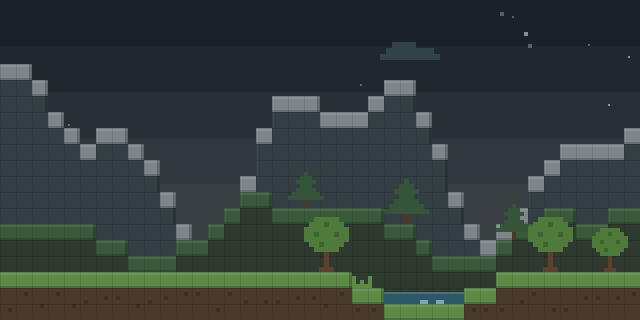

Light Level Overlay
Light Level Overlay draws the light level of every block face directly on the world, so players can see where mobs may spawn.
What it does
Light Level Overlay renders light level numbers onto block surfaces. A toggle key, F7, shows or hides the overlay, and Shift+F7 cycles through its four display modes. The Settings screen lists the same options and sets the render distance, which can be raised up to 512 blocks.
Each mode trades detail for clarity. Minimal shows red numbers for the 0 to 7 range that allows hostile spawns. Standard shows the full 0 to 15 values in red and green. Advanced Mode tints each block by its spawn risk, with red marking always-dangerous surfaces, yellow marking surfaces safe only during the day, and green marking always-safe ones. Cross mode marks dangerous blocks with a red X and daytime-only ones with a yellow X.
The mod is published for Fabric and NeoForge, with files for 26.2 dated 2026-08-02 and builds covering 1.21.11 – 26.2. It runs on the client alone, so players join servers without installing anything and servers need nothing from it. The code is open source under the MIT License, with a public source repository and issue tracker.
Key features
Block surface overlay
Light values are drawn onto the faces of blocks, so the reading sits where the player is looking.
Four display modes
Minimal, Standard, Advanced and Cross modes range from a quick danger-zone check to a full light readout.
Block and sky light
Advanced mode separates block light sources from sky light, and shows time-of-day accurate sky values.
Pixel-art digits
Numbers are drawn from hand-made 5 by 7 bitmap digits in bold colors instead of the blurry vanilla font.
Gallery
Compatibility
Latest build for each game version and loader.
Only full game releases are shown. This mod publishes no snapshot builds.
Use cases
Who it’s for: Players who want to see mob spawn conditions in the world, and builders planning lighting in survival or creative worlds.
How it compares
Light Level Simple is a Fabric and NeoForge client mod for 1.21.9 – 26.3 under All rights reserved, and is not open source. Entity Overlay is also client-side, runs on Fabric and NeoForge for 1.21.1 – 26.3 under the MIT License, and is not open source. Light Overlay is Fabric only, for 1.21.6 – 26.3, under a Creative Commons Attribution Non Commercial Share Alike 4.0 license, and is not open source. This mod is open source under the MIT License and covers 1.21.11 – 26.2.
| Mod | Loaders | Game versions | Environment | Updated |
|---|---|---|---|---|
| Light Level Overlay | Fabric and NeoForge | 1.21.11 – 26.2 | Client-side only | 2026-08-02 |
| Light Level Simple | Fabric and NeoForge | 1.21.9 – 26.3 | Client-side only | 2026-09-30 |
| Entity Overlay | Fabric and NeoForge | 1.21.1 – 26.3 | Client-side only | 2026-09-24 |
| Light Overlay | Fabric | 1.21.6 – 26.3 | Client-side only | 2026-10-02 |
Questions
Does Light Level Overlay need to be on the server?
Which loaders does the mod support?
Can the overlay show light from torches as well as the sky?
In the catalog
Light Level Overlay is one of 11,058 Mobs mods on ModsFinder, and one of 5,189 Mobs mods for Fabric. 13,894 mods support Minecraft 26.2.
More from hooneybAdgers



Similar mods


What the author says
✖ Cross Mode Red X on dangerous blocks, yellow X on blocks only safe during daytime, nothing on always-safe blocks. Clean and minimal. 🔴 Minimal Mode Red numbers 0–7 on every block in that range. Quick danger-zone check with no extra noise.
Official listing
- Modrinth page
- modrinth.com/mod/light-level-overlay
- Owner
- hooneybAdgers
- Published
- 2026-08-02
- Updated on Modrinth
- 2026-08-02
- Facts verified
- 2026-10-15