
HappyVisual
by MrCat778
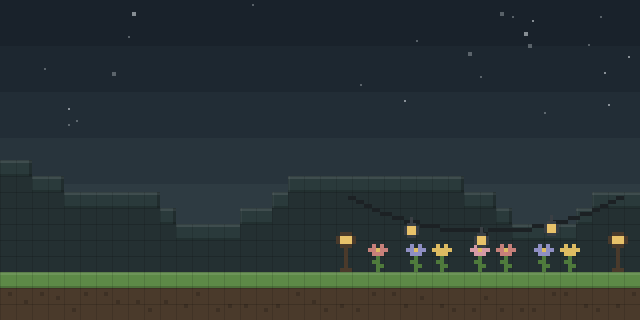
With HappyVisual installed, the client shows a set of customizable HUD elements, including a TargetInfo panel for the entity under the crosshair.
What it does
Installed on the client alone, HappyVisual reshapes the interface and HUD with customizable visual elements. The TargetInfo panel displays the health, armor and held item of the entity the player is looking at. Each element can be adjusted, and features can be toggled on or off through a modular system, so only the parts a player wants stay on screen.
Settings are changed inside the game through a graphical configuration menu that opens with the Right Shift key by default. Color palettes let players restyle the interface. Because changed settings only apply after a restart, the game must be relaunched after each adjustment.
The mod targets Minecraft 1.16.5 and is published for Forge only, with the latest file 1.12.7 for 1.16.5 dated 2026-03-15. Players add it to their own game, and a server needs no copy. The code is released under All rights reserved and is not open source.
Key features
TargetInfo panel
Shows the health, armor and held item of the entity under the crosshair.
Customizable interface elements
HUD elements can be repositioned and adjusted to suit the player's layout.
In-game configuration menu
Settings open from a graphical menu, bound to Right Shift by default.
Color palette customization
A palette setting changes the colors used by the interface elements.
Toggleable modules
Individual features can be switched on or off independently of one another.
Gallery
Compatibility
Latest build for each game version and loader.
Only full game releases are shown. This mod publishes no snapshot builds.
Use cases
Reading combat information
A player who wants enemy health and gear visible without opening menus can keep the TargetInfo panel on screen.
Tidying the interface
Players who find the default HUD crowded can disable modules they do not use.
Who it’s for: Players on the 1.16.5 Forge client who want a configurable HUD. Because the mod runs only on the client, multiplayer server owners do not need to install it.
How it compares
Saro´s Hud Hide is client-side only, published for Forge across 1.20.1 – 26.3 under All rights reserved, and is not open source. Easy Bars is also client-side only and open source under the MIT License, but it targets 1.20.1 only. CustomHealthHUD is a client and server mod for 1.20.1 under the Apache License 2.0, so every player and the server must run it, unlike HappyVisual.
| Mod | Loaders | Game versions | Environment | Updated |
|---|---|---|---|---|
| HappyVisual | Forge | 1.16.5 | Client-side only | 2026-03-15 |
| Saro´s Hud Hide | Forge | 1.20.1 – 26.3 | Client-side only | 2026-09-22 |
| Easy Bars | Forge | 1.20.1 | Client-side only | 2025-05-24 |
| CustomHealthHUD | Forge | 1.20.1 | Client and server | 2026-01-14 |
Questions
Which Minecraft version does HappyVisual support?
Does HappyVisual need to be installed on the server?
Why does a change need a restart?
In the catalog
HappyVisual is one of 12,078 Decoration mods on ModsFinder, and one of 6,149 Decoration mods for Forge. 5,992 mods support Minecraft 1.16.5.
Similar mods


What the author says
This is a client-side visual utility mod for Minecraft that adds a customizable interface and visual HUD elements. All settings can be changed directly in-game using a simple and intuitive graphical interface. No game restart is required after changing settings.
Official listing
- Modrinth page
- modrinth.com/mod/happyvisual
- Owner
- MrCat778
- Published
- 2026-01-15
- Updated on Modrinth
- 2026-03-15
- Facts verified
- 2026-10-15