
Create: Upsizing
by juyoh
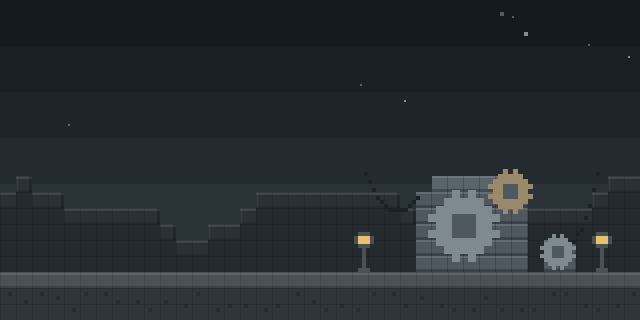
Create: Upsizing is a NeoForge addon for Create that adds a Resizer tool, letting a player grow or shrink their character in steps while holding a set amount of pressure.
What it does
The Resizer is a new tool from the Create addon. Holding crouch while right-clicking brings up the Resizer screen, where a Scale Amount is entered, and a right-click in the world aimed upward or downward then enlarges or reduces the player. The Current Scale icon in the screen shows the player's present scale multiplier, and a check button closes it. The tool draws on pressure, so its Backtank has to be filled first.
Scaling itself is handled by Pehkui, which the mod requires next to Create. The addon is published for NeoForge only, with files for 1.21 and 1.21.1 and 1.2.0 for 1.21.1 as the latest release. The server and every player need the mod installed. The code is under the MIT License and is open source, with the source code and issue tracker publicly linked.
Key features
Resizer tool
A Create tool that changes the player's scale, opened by crouching and right-clicking.
Scale Amount setting
The screen sets how much each use grows or shrinks the player, so changes can be small or large.
Current scale display
An icon in the screen shows the active scale multiplier at any time.
Pressure-based backtank
The tool runs on a Create Backtank, which must be filled with pressure before the Resizer works.
Gallery
Compatibility
Latest build for each game version and loader.
Only full game releases are shown. This mod publishes no snapshot builds.
Requirements
Dependencies declared by the latest file for each loader.

Use cases
Who it’s for: Players of Create packs who want a playful way to change character size, and server owners running Create with Pehkui. Because it depends on both mods, it suits modpacks built around them.
How it compares
Shrink Ray is open source under the MIT License and runs on NeoForge for 1.21.1 – 1.21.3, with both client and server needed. Die and Shrink! is NeoForge-only for 1.21, is not open source, and needs the server while the client stays optional. ScaleRays is open source under the MIT License for 1.21.1, and needs client and server like this mod. Create: Backtanks Expanded is also open source and targets 1.21.1 with both sides running it, but it expands backtanks rather than resizing players.
| Mod | Loaders | Game versions | Environment | Updated |
|---|---|---|---|---|
| Create: Upsizing | NeoForge | 1.21 – 1.21.1 | Client and server | 2025-09-22 |
| Shrink Ray | NeoForge | 1.21.1 – 1.21.3 | Client and server | 2024-11-12 |
| Die and Shrink! | NeoForge | 1.21 | Server required, client optional | 2025-08-18 |
| ScaleRays | NeoForge | 1.21.1 | Client and server | 2025-06-30 |
| Create: Backtanks Expanded | NeoForge | 1.21.1 | Client and server | 2026-07-02 |
Questions
Which dependencies does Create: Upsizing need?
Does the server need Create: Upsizing installed?
Which game versions does Create: Upsizing support?
Why does the Resizer need pressure?
In the catalog
Create: Upsizing is one of 8,499 Technology mods on ModsFinder, and one of 3,557 Technology mods for NeoForge. 32,366 mods support Minecraft 1.21.1.
More from juyoh




Similar mods


What the author says
(please note that although this mod is compatible with all 1.21.x versions of Minecraft, Pehkui currently only works for 1.21 and 1.21.1)
Official listing
- Modrinth page
- modrinth.com/mod/create-upsizing
- Owner
- juyoh
- Published
- 2025-07-27
- Updated on Modrinth
- 2025-09-22
- Facts verified
- 2026-10-15