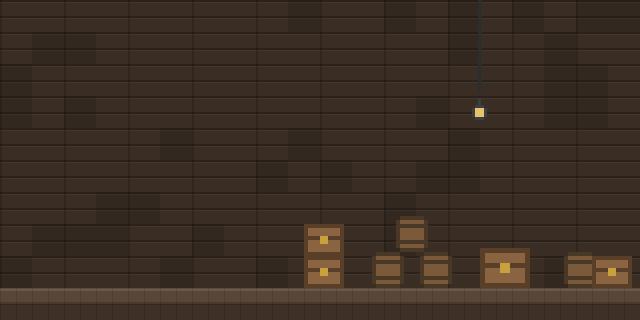

Chest Profile
by _1nfys
Chest Profile lets a player assign a saved layout of items and counts to each chest, so the chest shows where each item belongs.
What it does
Each chest can keep its own active profile. A profile holds a set of items with target counts, and the chest displays them as phantom ghost icons, so even an empty chest shows what goes where. A panel beside the chest lists the configs, and hovering over one previews its contents before it is selected. Players can create, delete and rename configs and profiles, and hide the panel when it is not needed.
Transfers follow the layout. When a profile is set up, the mod moves the required amounts from the player's inventory into the chest automatically, and only as much as the layout asks for. The configuration allows up to 50 configs, each with up to 128 profiles. The mod is published for Fabric and NeoForge in two release versions, 26.2 and 26.3, under the MIT License, and the source code is public on GitHub. Its files are client-side only, so servers run without it.
Key features
Phantom item layouts
Chests display ghost icons of the items a profile assigns, so the intended layout stays visible while the chest is empty.
Per-chest binding
Each chest remembers its own active profile, so different storage containers can follow different layouts.
Profile browser
A side panel lists configs, and hovering over one shows its contents before the player commits to it.
Config management
Configs and profiles can be created, deleted, renamed and hidden from the panel without editing files.
Gallery
Compatibility
Latest build for each game version and loader.
Only full game releases are shown. This mod publishes no snapshot builds.
Use cases
Sorting a storage room
Players who keep many chests for different materials can give each chest a layout and fill it with matching items.
Restocking a set of chests
A profile with target counts lets the mod top up a chest from the inventory to the amounts the layout requires.
Who it’s for: Players who organize item storage in survival or creative worlds, and players who want consistent chest layouts across a base.
How it compares
Filter Chest Setup is client-side only, published for 26.2 on Fabric, and open source under the MIT License. StorageGuide is client and server and open source under the MIT License, covering 26.1 – 26.2 on Fabric. Easy Sort is client and server on Fabric and NeoForge for 1.21.10 – 26.2 and is not open source, while StorageLens for Hypixel Skyblock is client-side only on Fabric for 26.1.2 – 26.3 under a custom license.
| Mod | Loaders | Game versions | Environment | Updated |
|---|---|---|---|---|
| Chest Profile | Fabric and NeoForge | 26.2 – 26.3 | Client-side only | 2026-09-17 |
| Filter Chest Setup | Fabric | 26.2 | Client-side only | 2026-07-24 |
| StorageGuide | Fabric | 26.1 – 26.2 | Client and server | 2026-06-29 |
| Easy Sort | Fabric and NeoForge | 1.21.10 – 26.2 | Client and server | 2026-07-20 |
| StorageLens for Hypixel Skyblock | Fabric | 26.1.2 – 26.3 | Client-side only | 2026-10-05 |
Questions
Does Chest Profile need to be installed on the server?
Which loaders does Chest Profile support?
Can a chest use a different layout than the chests beside it?
In the catalog
Chest Profile is one of 4,058 Storage mods on ModsFinder, and one of 2,474 Storage mods for Fabric. 8,071 mods support Minecraft 26.3.
Similar mods


What the author says
a minecraft mod that organizes items in chests using preset layouts. set up a profile with items, and it will automatically transfer the required amounts from your inventory. ghost icons show where each item belongs. #### +my config for mod on my github TerminalMC - inspired some item transfer concepts + ui…
Official listing
- Modrinth page
- modrinth.com/mod/chest-profile
- Owner
- _1nfys
- Published
- 2026-08-14
- Updated on Modrinth
- 2026-09-17
- Facts verified
- 2026-10-15