

ArMarks
by Brolen2
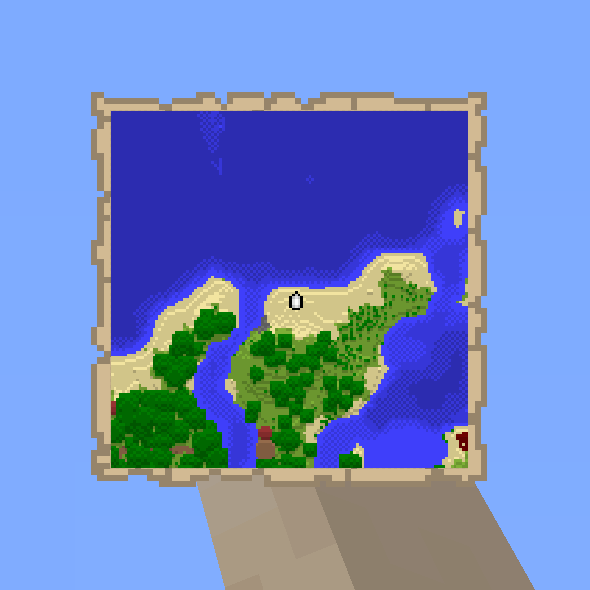
ArMarks lets a player middle-click a block, ore vein, item or entity to place a shared marker on it, with automatic vein counting and pings for nearby players.
What it does
Middle-clicking the thing in view places a mark on it. Marks can be set on ordinary blocks, ore veins, dropped items and entities. Notable blocks such as storage containers, spawners, beacons and respawn anchors get their names shown on the marker. Plain terrain is not marked, which keeps the view free of distance pings.
Ore veins are counted with a flood fill that joins blocks touching at faces, edges and corners, so the marker reports the real size of the vein, for example Diamond Ore x14. Dropped items show their actual name and stack count, and entities show their name while the mark stays up for a few seconds.
Each mark type plays its own sound, from a short pling for plain blocks and a resonant bell for entities to a pickup chime for items and a level-up jingle for larger ore veins. Marks can be shared with nearby players who also have ArMarks installed, and they reach well beyond normal interaction range, so things across a cave or base can be called out.
Key features
Middle-click marking
Middle-click the block, ore vein, item or entity in view to place a mark on it, with no menu to open.
Flood-fill vein counting
Connected ore is counted across faces, edges and corners, so the marker shows the true size of a vein.
Colour-coded marks
Ores, items, entities and notable blocks each use a distinct colour, so the type of a mark is clear at a glance.
Type-specific sounds
Each mark type plays its own sound, and larger ore veins play a louder, bigger jingle.
Shared pings
Marks can be shared with nearby players who have the mod installed, reaching beyond normal interaction range.
Configurable ranges
Range, duration, text size, search cap and sharing distance can all be adjusted in the in-game settings screen.
Gallery
Compatibility
Latest build for each game version and loader.
Only full game releases are shown. This mod publishes no snapshot builds.
How it compares
Vanilla Pings is an open source MIT-licensed Fabric mod for 1.19.2 – 26.3 that is server required and client optional, while ArMarks is client required with the server optional. Hardcore Ore Generation changes ore generation on Fabric for 1.20 and runs on client and server under All rights reserved, so it does not add marks or pings. Cobblemarks+ is a Fabric, Forge, NeoForge and Quilt mod for 1.21.1 under All rights reserved, and it is server required and client optional.
| Mod | Loaders | Game versions | Environment | Updated |
|---|---|---|---|---|
| ArMarks | Fabric | 26.2 – 26.3 | Client required, server optional | 2026-09-29 |
| Vanilla Pings | Fabric | 1.19.2 – 26.3 | Server required, client optional | 2026-09-30 |
| Hardcore Ore Generation | Fabric | 1.20 | Client and server | 2025-05-08 |
| Cobblemarks+ (Cobblemon) | Fabric, Forge, NeoForge and Quilt | 1.21.1 | Server required, client optional | 2026-07-23 |
Questions
Does ArMarks need to be on the server?
What does ArMarks require?
In the catalog
ArMarks is one of 19,031 Adventure mods on ModsFinder, and one of 10,052 Adventure mods for Fabric. 8,071 mods support Minecraft 26.3.
More from Brolen2



Similar mods





What the author says
Middle-click whatever you're looking at to mark it - see exactly what it is, and share the ping with nearby players. Works well beyond normal interaction range, so you can call out things across a cave, a base, or a battlefield. Features - Works on almost anything - blocks, ore veins, dropped items, and entities…
Official listing
- Modrinth page
- modrinth.com/mod/armarks
- Owner
- Brolen2
- Published
- 2026-07-28
- Updated on Modrinth
- 2026-09-29
- Facts verified
- 2026-10-15