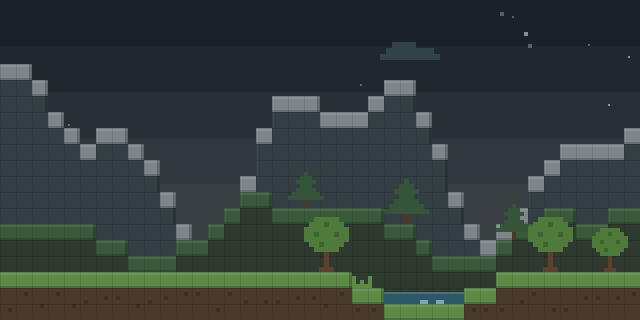

NavTable Coordinates
by JOKRisBest
NavTable Coordinates adds a Display Link output to the Navigation Table, so the table's current coordinates can be shown on a display.
What it does
The Navigation Table gains a new Coordinates option in its Display Link configuration screen. Once it is attached, the table writes its position to any display target that Display Link supports, including Create's Display Boards. The output is a plain text component with the X, Y and Z values in the form X:[x Y:[y Z:[z, so the numbers can be read directly from the display without any extra parsing.
The mod is aimed at builders and engineers in Create and Simulated settings who need exact positions. A Navigation Table already tracks where it is going and where it is not, and the subtraction between the target and the current position gives the difference used for routing. Installing the small NavTableCoordinates addon alongside Simulated and Create brings this telemetry to the display.
NavTable Coordinates is published for NeoForge 1.21.1 only, as version 1.0.0, released 2026-07-18. Every player and the server need a copy of the mod. The code is open source under the MIT License.
Key features
Coordinates output
The Navigation Table can show its current X, Y and Z position on any Display Link display.
Display Link option
A Coordinates entry in the Display Link configuration screen lets the table be set up without commands.
Plain text positions
Positions are written as one line of text per output, with each axis labelled in turn.
Works with Create displays
Create's Display Boards and other Display Link targets read the output natively, with no extra setup.
Gallery
Compatibility
Latest build for each game version and loader.
Only full game releases are shown. This mod publishes no snapshot builds.
Use cases
Train routing
Dynamic train schedules can use the exact position of a Navigation Table to track where trains are.
Build reference
A builder can place a display beside a Navigation Table to read coordinates while constructing a machine.
Who it’s for: Players who run Create contraptions and need exact positions for routing or scheduling, and server owners who want the same coordinate readouts on shared bases.
How it compares
Coordinate Compass is NeoForge only, built for 1.21.1 under All rights reserved, and is not open source. Create: Autonavigation is also NeoForge for 1.21.1 and open source under the MIT License, but it handles navigation rather than displaying coordinates. Aeronautics: Calibrated is NeoForge for 1.21.1, open source under the MIT License, and runs on client and server like this mod.
| Mod | Loaders | Game versions | Environment | Updated |
|---|---|---|---|---|
| NavTable Coordinates | NeoForge | 1.21.1 | Client and server | 2026-07-18 |
| Coordinate Compass | NeoForge | 1.21.1 | Client and server | 2026-06-11 |
| Create: Autonavigation | NeoForge | 1.21.1 | Client and server | 2026-10-05 |
| Aeronautics: Calibrated | NeoForge | 1.21.1 | Client and server | 2026-07-22 |
Questions
Does NavTable Coordinates need to be installed on both sides?
Which loader and version does NavTable Coordinates support?
Which display blocks show the coordinates?
In the catalog
NavTable Coordinates is one of 3,932 Transportation mods on ModsFinder, and one of 1,743 Transportation mods for NeoForge. 32,366 mods support Minecraft 1.21.1.
More from JOKRisBest


Similar mods


What the author says
The Navigation Table knows where it's going at all times. It knows this because it knows where it isn't. NavTableCoordinates is a small addon for the Simulated mod (and Create) that provides crucial telemetry data. By subtracting where the target is from where it isn't, or where it isn't from where it is (whichever…
Official listing
- Modrinth page
- modrinth.com/mod/navtable-coordinates
- Owner
- JOKRisBest
- Published
- 2026-07-18
- Updated on Modrinth
- 2026-07-18
- Facts verified
- 2026-10-15