
Lost Cursor Fix
by FelixFGF
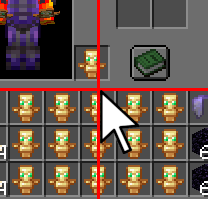
Lost Cursor Fix centers the mouse pointer automatically each time an inventory, chest, furnace or other container screen opens, so the cursor no longer lands at a random spot on the screen edge.
What it does
Vanilla Minecraft places the mouse pointer inconsistently when a GUI screen opens, and inventories and chests are the most affected. Lost Cursor Fix handles that moment instead: whenever a screen opens, the cursor is set to the exact center of the window. The fix covers chests, furnaces and other containers, not only the player inventory.
The mod is client-side only, so a server does not need it and players join a server without installing anything. It is published for Fabric alone, with files for Minecraft 1.21 – 1.21.11 and 26.1 – 26.2, and the mod's source code is public under a custom license that is not open source. The author notes compatibility with Fabric 26.x and with special or April Fools experimental releases. Its Fabric file for 26.2 is version 1.1, dated 2026-09-14.
A toggle controls the behavior in-game: the lostcursorfix toggle and lostcursorfix off commands switch the centering on and off. Other Fabric mods that change mouse behavior in menus can be turned off this way when they conflict.
Key features
Automatic cursor centering
The pointer is placed in the middle of the window whenever an inventory or container screen opens.
Covers all containers
Chests, furnaces and other container screens get the same centering, not only the player inventory.
Toggle command
The lostcursorfix toggle command switches the fix on or off without restarting the game.
Off switch
The lostcursorfix off command turns the centering off for players who prefer the vanilla cursor position.
Gallery
Compatibility
Latest build for each game version and loader.
26.x4 of 4 versions with builds
1.21.x12 of 12 versions with builds
Only full game releases are shown. This mod publishes no snapshot builds.
Use cases
Who it’s for: Players who use Fabric and find the mouse pointer jumping to a screen edge when inventories and chests open. The mod is installed only on the client, so it suits both single-player and multiplayer players.
How it compares
Toggle Fix is a client-side Fabric mod for 1.21.9 – 26.1.2 under the MIT License, and it is not open source. Share cursor is a client-required Fabric mod for 1.21.1 under the MIT License that is not open source, and its server may leave it out. Lost Cursor Fix covers 1.21 – 26.2 and is a client-only mod under a custom license.
| Mod | Loaders | Game versions | Environment | Updated |
|---|---|---|---|---|
| Lost Cursor Fix | Fabric | 1.21 – 26.2 | Client-side only | 2026-09-14 |
| Toggle Fix | Fabric | 1.21.9 – 26.1.2 | Client-side only | 2026-07-11 |
| Share cursor | Fabric | 1.21.1 | Client required, server optional | 2026-06-08 |
Questions
Does Lost Cursor Fix need to be installed on the server?
Which Minecraft versions does Lost Cursor Fix support?
How can the cursor centering be turned off?
In the catalog
Lost Cursor Fix is one of 3,545 Optimization mods on ModsFinder, and one of 2,575 Optimization mods for Fabric. 13,894 mods support Minecraft 26.2.
More from FelixFGF






Similar mods


What the author says
Ever opened a chest or your inventory and had to search for your cursor first? Vanilla Minecraft often places the mouse inconsistently when opening GUI screens — especially inventories, chests, furnaces, and other containers. Lost Cursor Fix solves this by automatically centering your cursor every time a handled…
Official listing
- Modrinth page
- modrinth.com/mod/lost-cursor-fix
- Owner
- FelixFGF
- Published
- 2026-05-27
- Updated on Modrinth
- 2026-09-14
- Facts verified
- 2026-10-15