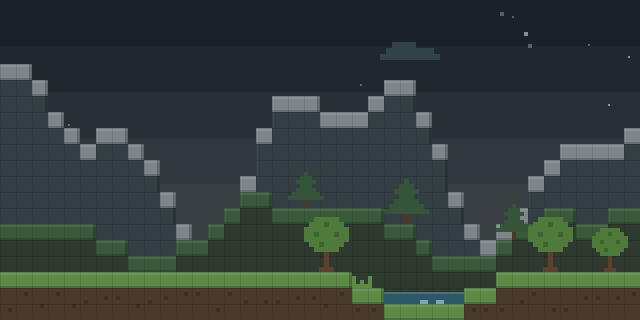

HealthIndicatorss
HealthIndicatorss draws health hearts, HP numbers, armor values and distance above mobs, players and villagers in the world.
What it does
Above each entity in view, the mod shows a row of hearts that reflects its current health. The hearts are colored by how much health remains, from green when healthy, through yellow at half health, to red when nearly dead. Next to the hearts, HP numbers, armor value, distance and the entity's name can be displayed. The display covers players, hostile mobs, passive mobs and villagers.
Pressing V toggles the overlay on and off, and the settings screen opens from the same key. Visibility range and heart size can be adjusted there. The mod is a client-side only Forge build for 1.21.1, so only the player's own game needs it, and a server does not have to run it.
HealthIndicatorss is published for Forge alone, with a single 1.0.0 file for 1.21.1. The code is under All rights reserved, so the mod is not open source.
Key features
Health hearts above entities
Hearts float over mobs, players and villagers, showing how much health each one has left at a glance.
Color-coded health
Hearts shift from green to yellow to red as health drops, so a wounded target stands out in a crowd.
Optional numeric readouts
HP numbers, armor value, distance and mob name can each be shown next to the hearts.
Adjustable display
Visibility range and heart size can be changed in the settings screen, which opens with the V key.
Gallery
Compatibility
Latest build for each game version and loader.
Only full game releases are shown. This mod publishes no snapshot builds.
Use cases
Tracking fights
Health bars over hostile mobs make it easier to see which enemy needs another hit during a fight.
Finding villagers and animals
Distance and name labels help locate specific passive mobs or villagers across a wide area.
Who it’s for: Players who want to read entity health and details at a glance while playing on Forge 1.21.1. Because the mod runs on the client alone, it can be used in single-player and on servers that do not run it.
How it compares
Mob Hearts works on Fabric, Forge, NeoForge and Quilt for 1.21.6 – 26.3, under All rights reserved. Its server side is what matters: the server must run it, while a player's client may leave it out. All About Mobs - Show & Edit Mob Health, Names & Damage covers Fabric and Forge for 1.16 – 26.2, under All rights reserved, and either side can run it while neither needs it. Healthy Eye (Chat Mod) is a client-side only Forge mod for 1.21 – 1.21.8. Unlike these, HealthIndicatorss only targets Forge and only 1.21.1.
| Mod | Loaders | Game versions | Environment | Updated |
|---|---|---|---|---|
| HealthIndicatorss | Forge | 1.21.1 | Client-side only | 2026-03-18 |
| Mob Hearts | Fabric, Forge, NeoForge and Quilt | 1.21.6 – 26.3 | Server required, client optional | 2026-06-01 |
| All About Mobs - Show & Edit Mob Health, Names & Damage | Fabric and Forge | 1.16 – 26.2 | Client or server, optional | 2026-10-03 |
| Healthy Eye (Chat Mod) | Forge | 1.21 – 1.21.8 | Client-side only | 2025-09-02 |
Questions
Does HealthIndicatorss need to be installed on the server?
Which loader and version does HealthIndicatorss support?
How is the health display turned on and off?
In the catalog
HealthIndicatorss is one of 11,058 Mobs mods on ModsFinder, and one of 6,527 Mobs mods for Forge. 32,366 mods support Minecraft 1.21.1.
Similar mods



What the author says
HealthIndicator shows health hearts above all entities in the world. Features: - Heart display with colors - Green = healthy - Yellow = half health - Red = almost dead - Shows HP numbers - Shows armor value - Shows distance - Shows mob name - Visibility range control - Heart size control - Press V to open settings
Official listing
- Modrinth page
- modrinth.com/mod/healthindicatorss
- Owner
- zyryvexoffical
- Published
- 2026-03-18
- Updated on Modrinth
- 2026-03-18
- Facts verified
- 2026-10-15