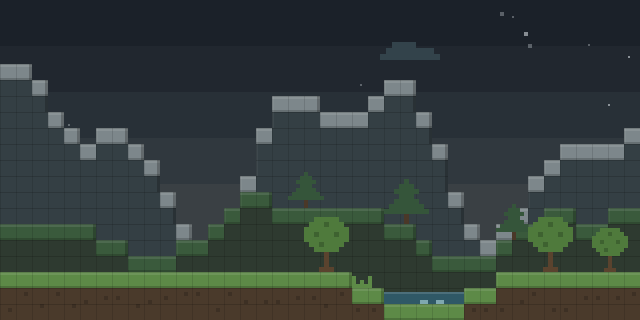

Fly Mod 3D
by RatzzFatzz
Fly Mod 3D gives creative players a flight mode with free look-based direction, and it runs on the client alone.
What it does
Flight in Fly Mod 3D follows the direction the player is looking, so climbing and descending happen along the view rather than only straight up and down. Speed is set through separate modifiers for flying, running and the rate of vertical movement, and the default values are tuned close to vanilla Minecraft speeds and can be changed in the settings. Sprinting exhaustion is overridden, and a toggle key switches flight on and off.
Only the client needs Fly Mod 3D, so players join servers without installing it on the server side. Flight is limited to creative mode and needs the Cloth Config API library, while Mod Menu is optional for opening its settings. Speed modifiers do nothing on a dedicated server, which keeps play fair online, and flight only switches on once the server has granted the permission, usually through a Bukkit command. The mod is open source under the GNU General Public License v3.0 only and is published for Fabric, with files covering 1.20 – 1.21.10.
Key features
Look-based flight
Movement direction follows the camera, so the player can fly toward whatever the view points at.
Speed modifiers
Separate settings control flying speed, running speed and how fast the player rises or falls per tick.
Toggle key
A key starts and stops flight, and the controls menu lists the remapped bindings.
Mouse control option
Mouse control is the main steering mode, and default movement fading works only when it is disabled.
Supported languages
The interface includes German and other translated languages, with the list kept in the mod's language files.
Gallery
Compatibility
Latest build for each game version and loader.
Only full game releases are shown. This mod publishes no snapshot builds.
Requirements
Dependencies declared by the latest file for each loader.
Required 1

Optional 1

Use cases
Who it’s for: Players who build in creative mode and want steering that follows the view, and server owners who need to grant flight through permissions.
How it compares
Server-Side Fly Mod is server-side only, runs on Fabric for 1.21.4 – 1.21.5, and is not open source under All rights reserved. Cloud Fly requires both client and server, targets 1.21.1 only and is not open source under All rights reserved. Fly Mod 3D differs by being client-side only and open source under the GNU General Public License v3.0 only, with builds for 1.20 – 1.21.10.
| Mod | Loaders | Game versions | Environment | Updated |
|---|---|---|---|---|
| Fly Mod 3D | Fabric | 1.20 – 1.21.10 | Client-side only | 2025-12-01 |
| Server-Side Fly Mod | Fabric | 1.21.4 – 1.21.5 | Server-side only | 2025-04-08 |
| Cloud Fly | Fabric | 1.21.1 | Client and server | 2026-08-09 |
Questions
Does Fly Mod 3D need Cloth Config API?
Does a server need Fly Mod 3D installed?
Why does flight not work on a dedicated server?
Which game versions have files?
In the catalog
Fly Mod 3D is one of 3,932 Transportation mods on ModsFinder, and one of 2,390 Transportation mods for Fabric. 15,569 mods support Minecraft 1.21.10.
Similar mods


What the author says
Toggle mod by pressing b. This can be remapped in the controls menu. The main feature of this mod is Mouse Control. With this you fly into the direction your are looking. You can ascend and descend, fly around a corner, by only moving forward. If this isn't your cup of tea, don't worry, it can be disabled to then…
Official listing
- Modrinth page
- modrinth.com/mod/fly-mod-3d
- Owner
- RatzzFatzz
- Published
- 2023-06-11
- Updated on Modrinth
- 2025-12-01
- Facts verified
- 2026-10-15