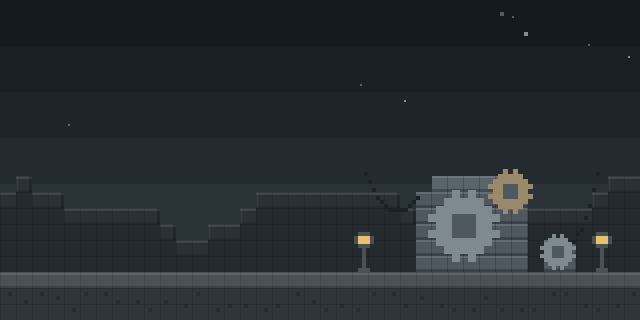

World Change
by ppapkajiwara
World Change lets a player leave the current singleplayer or local world and load another saved world with a single command, without returning to the title screen.
What it does
Switching always saves the current world before the next one loads. The new world opens from the saves folder while the player stays in the game, and the usual loading screen appears in the same way it does when a player picks a world from the menu, so the player is never sent back to the title screen. The switch works from anywhere, including while connected to a multiplayer server, where it disconnects and loads the local world.
Switching can be done by typing the worldChange command or by opening the World Change Mod Menu entry, which shows a clean vanilla-style list of worlds where one click switches. Smart matching finds a world by its name, and a seed is used only as a tie-breaker when two worlds have the same name. Worlds that cannot be loaded because of an incompatible version are shown locked and disabled. The interface is built from Minecraft's native UI and custom textures, so it looks and feels like the vanilla game.
The mod is published for Fabric only, for six release versions: 1.21.10, 1.21.11, 26.1, 26.1.1, 26.1.2 and 26.2. It runs on the client alone, so players install it and servers do not need it. It is released under a custom license and is not open source; the source code and issue tracker are public.
Key features
One-command world switch
The worldChange command loads another singleplayer world and saves the current one first.
Smart world matching
A world is found by its name, and an optional seed separates worlds that share the same name.
Clickable world list
The World Change Mod Menu entry opens a vanilla-style list where a single click switches worlds.
Locked incompatible worlds
Worlds from an incompatible version appear locked and disabled in the list rather than being hidden.
Gallery
Compatibility
Latest build for each game version and loader.
Only full game releases are shown. This mod publishes no snapshot builds.
Use cases
Who it’s for: Players who keep several singleplayer worlds and want to move between them without returning to the title screen each time.
How it compares
QuitKeybind is a Fabric client mod for 1.21.11 – 26.3 under the MIT License, and it is not open source. Disconnecter9000 is a Fabric client mod for 1.21 – 26.3 under the MIT License, and it is not open source. Setting Saver is a client-side Fabric mod for 1.21.8 – 1.21.11, open source under the GNU General Public License v3.0 or later. World Change covers 1.21.10 – 26.2 and is not open source.
| Mod | Loaders | Game versions | Environment | Updated |
|---|---|---|---|---|
| World Change | Fabric | 1.21.10 – 26.2 | Client-side only | 2026-06-29 |
| QuitKeybind | Fabric | 1.21.11 – 26.3 | Client-side only | 2026-09-19 |
| Disconnecter9000 | Fabric | 1.21 – 26.3 | Client-side only | 2026-09-29 |
| Setting Saver | Fabric | 1.21.8 – 1.21.11 | Client-side only | 2026-04-16 |
Questions
Does World Change need to be installed on the server?
Which loader does World Change support?
Why are some worlds shown as locked?
In the catalog
World Change is one of 8,499 Technology mods on ModsFinder, and one of 4,201 Technology mods for Fabric. 13,894 mods support Minecraft 26.2.
More from ppapkajiwara


Similar mods




What the author says
Switch between your singleplayer worlds with a single command — no trip back to the title screen. WorldChange loads another world from your saves folder while you're still in-game. It reuses Minecraft's own "play selected world" flow, so all you see is the normal loading screen — you never get kicked back to the menu.
Official listing
- Modrinth page
- modrinth.com/mod/world-change
- Owner
- ppapkajiwara
- Published
- 2026-06-29
- Updated on Modrinth
- 2026-06-29
- Facts verified
- 2026-10-15